Category: Academic Growth & Learning Strategies

  • From Passive to Proactive: Active Learning Techniques for the Digital Age

    From Passive to Proactive: Active Learning Techniques for the Digital Age

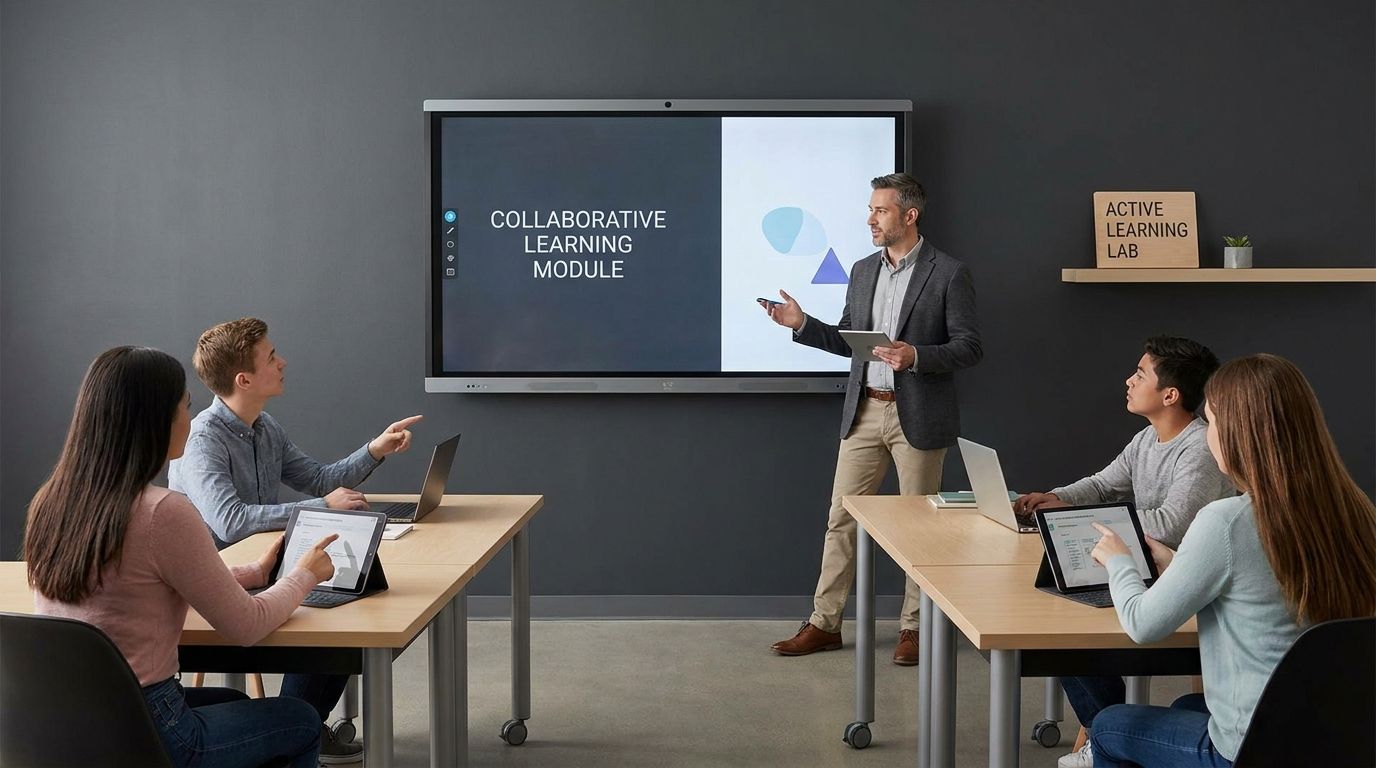
    Active learning techniques help students move beyond passively consuming digital content by requiring them to question, discuss, retrieve, apply, and create. This shift matters because logging in, watching a video, or completing a reading doesn’t prove that a learner understands the material.

    Digital tools can support deeper participation, but technology only helps when it serves a clear learning purpose. This article explains how to design practical, engaging learning experiences without overwhelming students or instructors.

    What Does Active Learning Mean In The Digital Age?

    Active learning techniques move students from watching, listening, and clicking through content to questioning, discussing, applying, and creating with it. In digital learning, that means using technology to make learners do meaningful thinking during class, before class, and after class.

    If your students log in, mute themselves, and let slides pass by, they may be present without being mentally engaged. The goal isn’t to add more apps or make every lesson flashy. The goal is to design moments where students retrieve information, test ideas, explain reasoning, compare answers, and solve problems.

    Research on active learning shows why this matters. A major analysis of science, technology, engineering, and mathematics courses found that active learning raised exam performance and reduced failure rates compared with traditional lecturing. That doesn’t mean lectures have no place. It means lectures work better when you interrupt passive intake with structured participation.

    What Is The Difference Between Passive And Active Learning?

    Passive learning asks students to receive information. Active learning asks students to process, use, and respond to information before the lesson moves on.

    Passive digital learning often looks efficient from the instructor side. You upload slides, record a video, assign a reading, and students consume it on their own time. The problem is that consumption doesn’t prove understanding. A student can finish a video, highlight a page, or sit through a lecture without being able to explain the idea independently.

    Active digital learning changes the student’s role. Instead of asking, “Did you watch it?” you ask, “Can you apply it, question it, teach it, or use it to make a decision?” That shift can be simple: a poll after a short explanation, a shared document where students compare responses, a short quiz using active recall, or a discussion prompt that requires evidence rather than opinion.

    You don’t need to remove direct instruction. You need to break it into shorter teaching moments followed by learner action. A ten-minute explanation paired with a two-minute poll and a five-minute peer discussion usually gives you more useful learning data than a thirty-minute uninterrupted lecture.

    Why Are Active Learning Techniques Important For Student Engagement?

    Active learning techniques matter because they make engagement visible. You can see what students understand, where they’re stuck, and who needs support before the final assessment arrives.

    Student disengagement is not only a motivation issue. It’s often a design issue. If learners are asked to sit, watch, and absorb for long stretches, many will drift, especially in digital spaces where distractions sit one tab away. Active tasks give students a reason to return attention to the learning goal.

    Engagement also improves when students feel responsible for contributing. Live polls, peer explanation, collaborative notes, problem-solving boards, and reflection prompts all create small moments of accountability. These moments don’t need to be graded every time. They need to signal that participation is part of learning, not an optional add-on.

    Gallup’s student engagement findings show that many students feel disconnected from school. Digital active learning can help when it makes participation easier, safer, and more frequent. A quiet student who rarely speaks in class may contribute through a shared document, anonymous poll, or short written response before joining a discussion.

    What Are The Best Active Learning Techniques For Online Classes?

    The best techniques for online classes are the ones that make students retrieve, explain, collaborate, and apply ideas. Start with simple routines before adding advanced tools.

    Live polling works well because it interrupts passive listening and gives you instant feedback. Ask a concept question, display the response pattern, then discuss why answers differ. The value is not the poll itself. The learning happens when students compare reasoning and correct misunderstandings.

    Think-pair-share also adapts well online. Students think independently, discuss in pairs or small breakout groups, then share a response with the full class. In asynchronous courses, you can adapt the same pattern by asking students to post an initial answer, respond to a peer, then revise their original answer.

    Collaborative documents support group thinking without requiring every student to speak aloud. Students can build a shared glossary, annotate a reading, sort examples into categories, or create a problem-solving plan. This keeps the activity visible, which helps you monitor progress and intervene without taking over the room.

    How Does The Flipped Classroom Model Work?

    The flipped classroom moves basic content exposure before class and uses class time for practice, discussion, feedback, and application. Students prepare outside class, then work actively when instructor support is available.

    A flipped lesson works best when pre-work is short and purposeful. A long video rarely solves the passivity problem. A better design uses a short video, reading excerpt, or demonstration followed by a quick retrieval task that checks readiness.

    Class time should then focus on the work students struggle to do alone. That could mean solving problems, analyzing a source, applying a process, debating a claim, or building a project plan. The instructor’s role shifts from delivering every detail to diagnosing confusion and guiding practice.

    Set expectations early. Students need to know that pre-work matters because class depends on it. If they arrive unprepared and can still sit quietly through the session, the flipped model loses its force. Use low-stakes checks, short reflections, or entry questions to make preparation visible.

    Can Gamification Improve Learning Retention?

    Gamification can support retention when it reinforces recall, feedback, progress, and practice. It works best when game elements serve the learning goal rather than distract from it.

    Quizzes, badges, progress bars, challenge levels, and timed review rounds can motivate students to return to material. The strongest use is retrieval practice. When students repeatedly pull information from memory, identify errors, and correct them, they strengthen learning more than they would through rereading alone.

    Keep the design fair and focused. Competitive leaderboards can energize some students and discourage others. Team challenges, personal progress tracking, and mastery levels often create broader participation because students can improve without feeling publicly ranked.

    The growth of the educational gamification market reflects strong interest in this area, but market growth alone doesn’t prove learning quality. Your measure should be whether students remember more, explain better, and transfer knowledge to new tasks. If the game mechanic doesn’t support those outcomes, simplify it.

    What Digital Tools Help Make Lectures More Interactive?

    The right tools help students respond, collaborate, practice, and reflect. Choose tools based on the learning action you want, not the novelty of the platform.

    For quick checks, use polling, quiz, or classroom response tools. These help you spot misconceptions during the lesson rather than after grading. Ask questions that reveal reasoning, not only recall. A good poll can show whether students understand a concept well enough to apply it.

    For collaboration, shared documents, whiteboards, discussion boards, and learning management system tools can work well. Students can co-create notes, compare solutions, map arguments, or build group responses. Keep instructions precise so the tool doesn’t become the task. The task is the thinking students do inside the tool.

    For reflection and self-directed learning, short journals, exit tickets, audio responses, and learning portfolios can help students track progress. These tools are useful when you ask focused prompts: what changed in your understanding, where did you get stuck, what evidence supports your answer, or what step would you take differently?

    How Do You Choose Technology Without Overcomplicating Your Class?

    Choose technology by matching one tool to one learning purpose. If a tool doesn’t help students think, practice, collaborate, or get feedback, you probably don’t need it.

    Start with your instructional goal. If you need to check understanding, use a poll or quiz. If you need students to build ideas together, use a shared workspace. If you need deeper practice, use a simulation, case task, or problem-based activity. Tool choice should follow the learning need.

    Limit the number of platforms students must manage. Too many logins, dashboards, and submission points can reduce focus. Reuse familiar tools in different ways so students spend less time learning software and more time learning the subject.

    Access matters. Some students have limited devices, unstable bandwidth, or shared study spaces. Offer low-bandwidth options where possible: downloadable files, text-based prompts, flexible submission formats, and activities that don’t require constant video. Good digital pedagogy works for real students, not ideal conditions.

    How Can You Measure Active Learning Beyond Standard Tests?

    You can measure active learning by tracking participation quality, concept mastery, transfer, reflection, collaboration, and revision. Standard tests can help, but they shouldn’t be your only evidence.

    Use formative assessment during learning. Poll results, exit tickets, draft responses, peer explanations, short quizzes, and discussion patterns can show what students understand before high-stakes grading. This lets you adjust instruction sooner.

    Look for transfer. Can students use a concept in a new problem, different reading, unfamiliar data set, or practical decision? If students can only repeat what they heard, learning may still be shallow. Active learning should help them move from recognition to application.

    Reflection also gives you valuable evidence. Ask students to explain how their answer changed, what feedback they used, or which step caused confusion. These responses help you see the learning process, not just the final product.

    How Do You Handle Student Pushback And Instructor Overload?

    Student pushback often comes from unclear expectations. Instructor overload often comes from changing too much at once. Solve these problems with small, repeated routines.

    Some students expect digital learning to mean watching content and submitting assignments. When you ask them to participate more actively, they may see it as extra work. Explain the purpose plainly: active tasks help them practice before grades depend on performance. Then keep the routine consistent enough that it becomes normal.

    For instructors, the fastest path is not a total course redesign. Add one active moment to each major lesson. A poll, retrieval prompt, peer explanation, or collaborative note-taking task can change the rhythm without rebuilding every material.

    Teacher confidence grows through repetition. ISTE and Project Tomorrow reported that many teachers see educational technology as a way to move from lecturer to facilitator. That shift doesn’t require giving up structure. It requires designing structure that students actively use.

    What Are Active Learning Techniques In The Digital Age?

    • Live polls during lectures
    • Gamified recall quizzes
    • Peer discussion boards
    • Flipped video pre-work
    • Digital problem-solving tasks

    Build A Proactive Learning Culture One Routine At A Time

    Active learning techniques work best when they become part of the learning culture, not a one-day experiment. Start small, use tools with purpose, and make student thinking visible through polls, discussions, retrieval practice, collaboration, and applied tasks. Keep lectures where they help, but don’t let them become the only mode of learning. When students know they’ll be asked to think, respond, revise, and explain, digital learning becomes less passive and more productive. The strongest shift is simple: design every lesson so students do something meaningful with what they’re learning.


    References

  • Top 7 Note-Taking Apps That Supercharge Your Learning

    Top 7 Note-Taking Apps That Supercharge Your Learning

    The best note-taking apps for learning are the ones that make you process ideas, retrieve them later, and connect them to what you already know. Choose your app by the learning job it handles best: recall, handwriting, research linking, slide markup, project organization, focused writing, or quick capture.

    A perfect transcript of a class, book, meeting, or course can still be useless when it’s time to review. Good digital notes should help you understand, remember, and reuse ideas, not just store them. This guide compares seven apps by the way they support real learning habits, so you can pick the tool that fits how you study.

    Why Most Digital Note-Taking Fails As A Learning Tool

    Digital notes fail when they become storage instead of study material. You can type quickly, paste screenshots, save links, and build neat folders, yet still struggle to explain the topic later. That happens when your app encourages collection without processing. Learning improves when you rewrite ideas in your own words, connect them to prior knowledge, and review them at the right time.

    Research on note-taking has found that typing can push learners toward verbatim transcription, which often reduces understanding. The problem isn’t the keyboard itself; it’s the habit of copying instead of thinking. If you type notes, slow yourself down by summarizing, asking questions, and turning key ideas into prompts. A good app should make that kind of active work easy.

    Student behavior shows the same gap. Many learners use digital study tools, yet far fewer feel they use those tools well for learning. That’s why the best note-taking app isn’t always the one with the longest feature list. It’s the one that helps you build better review habits without adding clutter.

    The Learning Science Behind A Great Note-Taking App

    A strong learning app supports three behaviors: encoding, retrieval, and review. Encoding happens when you make meaning from new information. Retrieval happens when you pull the idea from memory without looking. Review keeps that memory available after the first study session fades.

    Handwriting can help because it slows you down and adds a motor component to learning. On a tablet, stylus notes can combine handwriting, diagrams, annotations, and imported reading material in one place. That works well for classes where formulas, sketches, timelines, or visual relationships matter. Typed notes still work, but they need structure that pushes you away from copying.

    Spaced repetition and active recall matter for long-term retention. Flashcards, cloze deletions, question prompts, and scheduled review sessions turn notes into practice. Bi-directional links help when your subject depends on relationships between ideas. The best note-taking apps for learning support at least one of those behaviors well.

    Evaluating Core Features In Note-Taking Apps For Learning

    Start with your main study problem. If you forget material after reading it once, choose an app with recall tools. If you learn through diagrams, choose handwriting and sketching. If you work with research, choose links, backlinks, and export-friendly files. If your classes use slides, choose strong Portable Document Format(PDF) markup.

    Search matters more than most learners expect. Optical Character Recognition(OCR) helps you find text inside scans, images, and handwritten notes when supported well. Reliable sync matters too, especially if you study across a laptop, tablet, and phone. Offline access protects you when Wi-Fi fails during a class, commute, or library session.

    Also check how easily you can leave the app later. Proprietary systems can feel smooth until you need to export years of notes. Plain text, Markdown, PDF export, and clear folder structures reduce lock-in. Your notes are learning assets, so treat portability as part of the decision.

    App 1: RemNote — Best For Active Recall Brains

    RemNote is built for learners who want notes and flashcards in the same place. Its strongest fit is study material that benefits from active recall, cloze deletions, and spaced repetition. Instead of writing a note and later rebuilding it into a deck, you can turn ideas into review prompts during the note-taking process. That reduces friction, which matters when you’re managing several subjects.

    Use RemNote for definitions, processes, formulas, vocabulary, medical facts, legal concepts, certification prep, or any subject that requires repeated retrieval. A lecture note can become a question, a bullet can become a card, and a concept can be scheduled for future review. The learning benefit comes from forcing your brain to answer before you check the note. That small delay is where much of the memory work happens.

    RemNote can feel less natural if your main style is freehand drawing, visual mapping, or long-form writing. It works best when you’re willing to convert notes into prompts as you go. If your current notes look organized but don’t help you test yourself, RemNote fixes the right problem. It’s the most study-first choice in this list.

    App 2: GoodNotes — Best For Visual & Handwritten Learners

    GoodNotes is a strong match if you learn by writing, sketching, annotating, and arranging ideas visually. It works well for tablet-based study, especially on an iPad with a stylus. You can treat the screen like a notebook, but with digital search, organization, imported documents, and reusable pages. That gives you the feel of handwriting without losing the convenience of digital storage.

    This matters because handwritten notes can encourage selection and summarization. You usually can’t write every word a speaker says, so you choose what matters. That slower pace helps you process meaning instead of copying language. For math, chemistry, design, language learning, music theory, and diagram-based subjects, handwriting often gives you more control than a plain text editor.

    GoodNotes is especially useful when your study material includes slides, worksheets, diagrams, and readings. You can mark up the material directly, add arrows, circle weak areas, and build visual study pages. The tradeoff is that GoodNotes is less suited to database-style knowledge management or automated spaced review. Pair it with a flashcard tool if recall practice is part of your plan.

    App 3: Obsidian — Best For Deep Researchers & Zettelkasten

    Obsidian is best for learners who want to build a connected knowledge base over time. It uses local files and link-based notes, which makes it a strong fit for Personal Knowledge Management(PKM), research notes, book notes, and Zettelkasten-style systems. The value comes from connecting ideas instead of burying them in folders. A note on one concept can link to related arguments, examples, readings, and questions.

    That linking habit helps when your learning depends on synthesis. If you’re studying philosophy, history, computer science, writing, research methods, or product strategy, the same idea may appear across many sources. Obsidian helps you notice those connections. Over time, your notes become less like class folders and more like a map of what you understand.

    Obsidian is less beginner-friendly than a simple notebook app. You need to decide how to name notes, when to link them, and how much structure to use. Keep it simple at the start: one idea per note, short summaries, clear titles, and links only when they help you think. If you want ownership and long-term portability, Obsidian is hard to beat.

    App 4: Notability — Best For Lecture Slides & Audio-Linked Notes

    Notability fits learners who spend a lot of time in live lectures, seminars, or slide-based classes. Its standout learning use is combining handwriting with audio-linked notes. When you review later, your written marks can guide you back to the explanation that was happening at that moment. That’s useful when a slide is brief but the spoken explanation carries the meaning.

    Use Notability when your main problem is missing details during class. You can write the key idea, mark confusing parts, and revisit the related audio during review. This is better than trying to capture every sentence in real time. It lets you stay present enough to listen and still keep a path back to the details.

    The app is also a good fit for learners who annotate lecture files and add handwritten comments. It supports a class-first workflow: import material, write on it, review it, and clean up weak spots later. The downside is that it’s not the strongest choice for long-term linked research notes. If your learning depends on class sessions and slide review, Notability gives you a focused setup.

    App 5: Notion — Best For All-In-One Learning Dashboards

    Notion works best when your learning requires organization across many moving parts. You can build dashboards for courses, reading lists, project notes, assignments, habit trackers, and study plans. Its databases and templates make it useful for learners who want one home for academic work, professional development, and personal knowledge. It’s especially good for planning what to study and tracking what you’ve finished.

    Notion is popular for a reason: it gives you flexible pages that can hold text, tables, checklists, embedded material, and databases. That makes it easier to manage a course pipeline, research project, or self-study plan. A student can track readings by status, connect notes to deadlines, and keep review tasks in one place. A professional can use the same setup for courses, certifications, meeting notes, and project learning.

    Its main limitation is learning science depth. Notion doesn’t center handwriting or built-in spaced repetition in the way specialized study apps do. Use it as your command center, then connect it with recall practice when needed. If your biggest pain is scattered study material, Notion can bring order fast.

    App 6: Bear — Best For Simple, Distraction-Free Daily Notes

    Bear is best for learners who want a clean writing space without a lot of setup. It suits daily study logs, reading notes, reflections, summaries, and short concept explanations. Its Markdown-based writing style keeps the focus on words instead of menus. Tags help you organize without building a complex system.

    This simplicity can improve learning if you tend to overbuild your note system. Some learners spend more time designing dashboards than studying. Bear pushes you toward capture, summary, and review. That makes it a good choice for learners who want fewer moving parts.

    Use Bear for the “explain it back” habit. After a lecture, chapter, or course module, write a short note in your own words. Add a tag for the subject, a few links if useful, and one or two questions you still need to answer. That pattern keeps your notes useful without turning your app into another assignment.

    App 7: Evernote — Best For Cross-Platform Snippets, Scans & Searchable Capture

    Evernote is a strong option if your learning material comes from many places. It’s useful for web clips, scanned documents, images, task notes, and quick capture across devices. Its search and OCR features make it easier to find saved material later. That matters when you collect lecture handouts, article excerpts, whiteboard photos, receipts for courses, and notes from different devices.

    Evernote works best as a capture and retrieval system. Save the source, add a short summary, tag it well, and move it into a notebook that matches your study area. The summary is the learning step; the clip itself is only raw material. Without that extra processing, Evernote can become a digital junk drawer.

    This app is a good pick for professionals and learners who study in small windows throughout the day. You can capture an idea on your phone, refine it on a laptop, and search it later when you need it. It’s not the most specialized tool for flashcards, handwriting, or linked research. Its strength is dependable collection and retrieval.

    How To Build A Learning Workflow Around Your Chosen App

    Pick one primary app and give it a clear job. If you choose RemNote, make it your recall engine. If you choose GoodNotes or Notability, make it your handwritten study notebook. If you choose Obsidian, make it your connected idea library. If you choose Notion, make it your planning hub.

    Then build a simple study loop: capture, clarify, question, review, and apply. Capture the material during class, reading, or work. Clarify it by rewriting the main ideas in your own words. Question it by turning headings, definitions, and processes into prompts. Review it on a schedule, then apply it through practice problems, essays, projects, or discussion.

    Keep your system small enough to maintain. Use fewer folders, clearer note titles, and repeatable templates. A good template can include a topic, source, summary, key terms, open questions, and review prompts. If a template takes longer to fill out than the lesson itself, cut it down.

    Common Pitfalls That Undermine Learning

    The first pitfall is collecting too much. Clipped articles, copied slides, screenshots, and pasted lecture text can feel productive, but they don’t prove understanding. Add a summary to every saved item. If you can’t explain why the note matters, it probably isn’t ready for review.

    The second pitfall is switching apps too often. Every switch forces you to rebuild folders, tags, templates, shortcuts, and habits. Test a new app with one class or one project before moving your whole system. Your goal is better learning, not a perfect setup.

    The third pitfall is ignoring distractions. A phone or tablet can help you learn, but notifications can break attention fast. Use focus modes, offline study blocks, and full-screen writing when possible. Your app should reduce friction, not compete with the lesson.

    Best Features In Note-Taking Apps For Learning

    • Active recall
    • Spaced review
    • Handwriting
    • PDF markup
    • Fast search
    • Offline access
    • Reliable sync

    Choose The App That Matches The Way You Learn

    The best note-taking apps for learning don’t all solve the same problem. RemNote helps you remember, GoodNotes helps you think visually, Obsidian helps you connect ideas, Notability helps you review live classes, Notion helps you organize study work, Bear helps you write with focus, and Evernote helps you capture material from many places. The right choice depends on the gap in your current study system. Pick the app that fixes that gap, then build a repeatable habit around it. Better notes come from better thinking, and the right app should make that thinking easier to repeat.


    References

  • Beyond Flashcards: Cutting-Edge Study Techniques for the Digital Learner

    Beyond Flashcards: Cutting-Edge Study Techniques for the Digital Learner

    Cutting-edge study techniques for the digital learner work best when technology supports retrieval, spacing, visual thinking, linked notes, focused handwriting, and distraction control—not when apps simply make passive reading prettier. If you’re tired of flashcards, you don’t need more decks; you need a study system that helps you understand, remember, and reuse ideas.

    This guide shows you how to move past repetitive front-and-back cards without abandoning the science that makes flashcards useful. You’ll learn how to apply active recall, spaced repetition, dual coding, mind mapping, linked notes, tablet handwriting, and focus tools in a way that fits real digital study. The goal is simple: turn your laptop or tablet into a learning environment, not just a place where notes pile up.

    Why Flashcards Aren’t Enough For The Modern Digital Learner

    Flashcards work well when the task is clear: learn a definition, remember a formula, identify a term, or recall a fact on command. The problem starts when every subject gets squeezed into that format. History, biology, law, engineering, literature, and business topics often require relationships, causes, comparisons, processes, and judgment. A single card can test a detail, but it can easily hide whether you understand the whole idea.

    Digital learners also run into flashcard fatigue. You open an app, swipe through hundreds of prompts, and still feel unsure when asked to explain the topic without cues. That happens because recognition can feel like mastery. If the answer looks familiar once you see it, your brain may treat that as learning, but an exam, presentation, lab, or written assignment usually asks for flexible recall.

    The better move is to keep the useful part of flashcards—retrieval practice—and apply it to larger units of meaning. Instead of asking, “What is this term?” ask, “How does this process work from start to finish?” or “Why does this theory explain one case better than another?” That shift turns your device into a testing space, planning space, and thinking space. It also makes cutting-edge study techniques feel practical rather than flashy.

    The Cognitive Science Cornerstone: Active Recall And Spaced Repetition, Reimagined

    Active recall means you pull information from memory before looking at the answer. Spaced repetition means you review that information over increasing gaps of time instead of cramming it all into one session. Research has rated practice testing and distributed practice as two of the strongest learning techniques, while rereading and highlighting rank much lower. That matters if most of your “study time” is still scrolling through notes, colored highlights, and saved Portable Document Format files.

    You can use active recall without making a traditional flashcard deck. In RemNote, you can turn a concept note into recall prompts that test relationships, explanations, and nested ideas. In Notion, you can create a revision database with columns for topic, last review, confidence level, and next review date. In Obsidian or Roam Research, you can write question-based headings inside linked notes, then collapse the answer or test yourself before opening related pages.

    The digital advantage is scheduling and structure. Your system can remind you to review a weak topic before it fades, group related concepts, and show connections between old and new material. You can also replace “Do I know this card?” with better review labels: explain from memory, solve without notes, compare two ideas, teach aloud, draw the process, or write a short answer. That keeps spacing intact without trapping you in endless card flipping.

    From Memorization To Mastery: Digital Tools For Deeper Processing

    Deeper learning starts when you make your brain do more than store isolated facts. Elaborative interrogation asks you to explain why something is true. Interleaving mixes related problem types or topics so you learn when to use an idea, not just how to repeat it. Dual coding pairs words with visuals, giving your memory two routes back to the same concept.

    Digital mind mapping is one of the cleanest ways to apply that. Tools like XMind and MindMeister let you place a central concept in the middle, branch into subtopics, add images, attach notes, and rearrange ideas as your understanding changes. This works well for courses with layered systems: biological pathways, historical causes, project plans, legal rules, literary themes, or business models. A map forces you to choose what connects, what belongs under a larger heading, and what stands alone.

    Use visual learning to test yourself, not just decorate your notes. Open a blank canvas and redraw a process from memory. Build a comparison chart without looking at your textbook. Create a diagram, hide the labels, and explain each part aloud. When you return to the source material, you’re checking a produced answer, which makes the session more useful than passive review.

    Building Your Digital Knowledge Hub With Linked Notes

    A digital knowledge hub solves a common student problem: your notes exist, but you can’t use them when revision starts. A folder full of lecture files, screenshots, copied text, and random documents creates storage, not learning. Linked-note apps help you build relationships between ideas so one topic can lead naturally to another. That matters when exams ask you to connect concepts across weeks of material.

    Obsidian supports local-first linked notes, so your files stay under your control while you create links between pages. Roam Research is built around networked thinking through bidirectional links, which means a note can show what points to it as well as what it points toward. Notion works well when you need dashboards, databases, course pages, reading trackers, and revision boards in one place. The best tool is the one you can maintain without spending more time designing it than studying.

    A practical linked-note system uses three layers. Start with source notes from lectures, readings, videos, and slides. Turn those into concept notes written in your own words, with one main idea per note where possible. Then create review notes that ask bigger questions: “How does this concept connect to last week’s topic?” or “Which mistakes would a beginner make here?” This gives you a study hub that supports active recall, spaced review, and deeper thinking in one place.

    The iPad And Laptop Handwriting Blend: Getting The Best Of Both Worlds

    Typing is fast, searchable, and convenient, but speed can become a weakness. When you type every sentence, you may record information without processing it. Research on longhand note-taking found that handwritten notes can support stronger conceptual understanding because you have to select, compress, and rephrase as you write. For digital learners, a tablet and stylus can bring that processing back without losing the benefits of digital storage.

    Use handwriting when the subject requires diagrams, equations, processes, sketches, timelines, or spatial relationships. A stylus works well for annotating slides, marking up Portable Document Format readings, building Cornell-style notes, and solving problems step by step. Apps like OneNote, GoodNotes, and Notability can support this kind of workflow, especially when you tag pages, search handwritten text where available, and organize notebooks by course. The point isn’t to make digital ink look pretty; it’s to slow your thinking enough to make choices.

    A strong blend uses handwriting for first-pass learning and typing for organization. Write during lectures or problem practice, then convert the best ideas into clean concept notes later. Add links, review dates, and recall prompts once the idea is stable. That gives you the memory benefits of handwriting and the search power of a digital system.

    Beating The Digital Distraction Trap With Focus Tools And Habits

    Studying on the same device you use for videos, messages, shopping, games, and social feeds creates friction before you even start. Notifications break attention, and open tabs invite task switching. Research on divided attention shows that device-related distraction can reduce retention and performance. Digital study only works when your device has a clear study mode.

    Focus tools help when willpower is not enough. Cold Turkey and Freedom can block websites, apps, or the entire internet during planned study blocks. Your operating system’s built-in focus settings can silence notifications, hide badges, and limit interruptions from non-study apps. Browser profiles also help: create one profile for school with only your learning tools, citation manager, course portal, and cloud drive signed in.

    Pair tools with simple rules. Start each session by closing unrelated tabs, placing your phone away from your desk, and writing one visible task for the block. Use a timer if it helps, but don’t let the timer become the main event. The real measure is whether you produced something: an answer, a diagram, a solved problem, a summary from memory, or a cleaner set of linked notes.

    Crafting Your Personalized Daily Digital Study Routine

    Your routine should combine learning, testing, organizing, and recovery. Many students fail with digital study because they spend the whole session inside one mode: reading, highlighting, typing, or watching. A better routine moves through several mental actions so your brain encodes the topic, retrieves it, connects it, and rests. Keep the system lean enough that you can repeat it on busy days.

    Begin with a short planning pass. Choose one outcome: solve ten problems, explain a chapter, map a process, prepare for a quiz, or revise a weak topic. Then study the source material actively by writing questions in the margin, pausing a lecture video to predict the next step, or summarizing a section before looking back. After that, close the source and produce something from memory.

    End by updating your digital system. Add new concept notes, link them to older notes, schedule reviews, and mark weak areas. A simple routine could look like this:

    • Plan: Choose one topic and one output.
    • Learn: Read, watch, listen, or attend with active notes.
    • Recall: Explain, draw, solve, or write from memory.
    • Connect: Link the idea to related notes or a mind map.
    • Schedule: Set the next review based on confidence.
    • Reset: Take a screen break before the next block.

    Choosing Tools Without Getting Trapped By Tool Overload

    Tool overload is one of the quiet reasons digital learning falls apart. You start with a note app, add a mind-mapping app, test a spaced repetition tool, download three templates, then lose track of where anything lives. A strong setup usually needs fewer tools than you think. Choose by job, not popularity.

    Use one main place for notes, one place for visual thinking, one review system, and one focus tool if distractions keep winning. Notion is useful if you like databases, dashboards, and structured pages. Obsidian fits learners who want linked plain-text notes and local files. RemNote works well when recall prompts are part of your notes, and mind-mapping tools help when relationships matter more than linear outlines.

    Review your setup every few weeks by asking practical questions. Can you find last month’s notes in under a minute? Do your notes create testable prompts? Are weak topics resurfacing before exams? Are you spending more time adjusting templates than producing answers? If a tool doesn’t help you retrieve, connect, organize, or focus, cut it.

    What Are The Most Effective Digital Study Techniques Beyond Flashcards?

    • Use active recall on full concepts.
    • Space reviews across days.
    • Draw digital mind maps.
    • Build linked notes.
    • Handwrite with a stylus.
    • Block distractions.

    Build A System That Makes Learning Stick

    Cutting-edge study techniques are useful only when they make learning easier to repeat and harder to fake. Flashcards still have a place, but they shouldn’t carry your entire study life. Use active recall for full explanations, spaced repetition for review timing, mind maps for relationships, linked notes for long-term organization, handwriting for deeper processing, and focus tools to protect attention. Your digital setup should help you produce answers, not just collect information. When your tools serve the learning task, your screen becomes a study partner instead of a distraction machine.


    References

  • Top 5 Educational Platforms Changing How Students Learn

    Top 5 Educational Platforms Changing How Students Learn

    Digital learning platforms now shape how students study, practice, submit work, build skills, and measure progress. The strongest platforms do more than host content. They guide learning, reduce friction, support teachers, and help you move from exposure to actual mastery.

    If you want to understand where student learning is heading, these five platforms show the clearest direction. They reveal how free academic support, career-focused online learning, gamified daily practice, classroom workflow tools, and study reinforcement systems are changing what students do every day and how schools support that work.

    1. Khan Academy

    Khan Academy remains one of the most important names in digital education because it solves a basic student problem better than almost anyone else: you need clear instruction, you need practice, and you need a path that helps you improve without getting lost. That simple value has kept the platform relevant across grade levels, subject areas, and learning environments. When students fall behind, need review, or want to move faster, Khan Academy gives them a structured place to work.

    What makes the platform stand out is the combination of free access and academic depth. You are not stepping into a random video library. You are entering a system built around lessons, guided practice, skill progression, mastery tracking, and feedback loops. That matters because students do not improve from content exposure alone. They improve when a platform helps them understand what to do, what to review, and what to practice again.

    Khan Academy has also strengthened its role through artificial intelligence support with Khanmigo. That expands the platform from a traditional learning site into a more interactive tutoring and support environment. If you are looking at the future of education, this is one of the clearest signals: students increasingly expect explanation, guided hints, writing help, and personalized support inside the same product instead of switching across multiple tools.

    The scale behind Khan Academy also reinforces its influence. The platform reports a massive global user base, extensive learner activity, and billions of minutes spent learning. Those numbers matter because they show repeat use, not passing interest. In education, behavior matters more than buzz. Students return to Khan Academy because it fits real academic needs, especially in mathematics, science, test preparation, and foundational review.

    Another reason Khan Academy ranks at the top is trust. Teachers use it for reinforcement, parents use it for support at home, and students use it when classroom instruction moves too fast or not fast enough. That broad usefulness gives the platform unusual staying power. You can use it for remediation, independent learning, homework support, extra challenge work, and self-paced review without paying for access.

    If your goal is to identify the platform changing how students learn at scale, Khan Academy deserves the lead position. It proves that free learning can still be structured, measurable, and effective. It also shows that artificial intelligence in education works best when it supports real teaching and real study habits rather than distracting from them.

    2. Coursera

    Coursera changes student learning in a different way. It does not focus mainly on school-age remediation or classwork support. It shifts learning toward career readiness, job skills, flexible credentials, and university-level content that students can access without entering a conventional degree path right away. That makes it one of the strongest platforms for students who are thinking beyond the classroom and asking what learning will help them build marketable capability.

    When you use Coursera, you are not just browsing lessons. You are entering a system built around courses, guided projects, professional certificates, specializations, and degree pathways. That layered structure matters because it gives students options. You can begin with a short course, build credibility with a certificate, and move into deeper programs when the subject proves useful. That reduces risk and makes learning feel more connected to outcomes.

    The platform’s partnerships with universities and industry organizations strengthen its position. Students often struggle to judge whether an online course will carry real weight. Coursera addresses that concern by tying its catalog to recognized institutions and employer-facing skills. That does not make every course equal, though it does make the platform more credible for learners who want something stronger than casual self-study.

    Coursera also reflects a major shift in student behavior: learning is no longer confined to a school timetable. Students now stack learning across different needs. They may use one platform for class assignments, another for test prep, and another for job-relevant skills. Coursera fits that pattern well because it gives you a way to build knowledge outside your school schedule and outside your major if needed.

    Another reason Coursera belongs in this top five list is breadth. It supports learners who want to explore technology, business, data analysis, project management, health topics, personal development, and many other categories. That wide catalog turns the platform into more than a course provider. It becomes a bridge between academic learning and professional direction.

    If Khan Academy is strongest for academic mastery and support, Coursera is strongest for mobility. It helps you translate learning into credentials, clearer career direction, and practical next steps. That is a major reason it is changing how students learn: education is no longer only about passing a class. It is also about building skills that travel with you.

    3. Google Classroom

    Google Classroom often gets described as a classroom management tool, though that label undersells what it has become. In practice, it is one of the main operating systems for school-based learning. It organizes assignments, communication, grading, feedback, deadlines, file sharing, and teacher-student interaction in one place. When a platform becomes the place where daily schoolwork actually happens, it changes learning behavior whether students notice it or not.

    The platform’s biggest strength is workflow control. Students no longer need to chase paper handouts, email attachments, or scattered instructions across separate systems. You can log in, see what is due, open resources, submit work, review feedback, and track progress from a single dashboard. That level of organization reduces friction, and reduced friction often determines whether work gets done on time and with less confusion.

    Google Classroom also matters because it supports teacher efficiency. When teachers can assign work faster, comment faster, organize class materials better, and identify missing submissions quickly, students experience a more consistent learning environment. That consistency has value. It creates predictable routines, shortens confusion around expectations, and gives students clearer visibility into what matters each day.

    The platform’s role is expanding with stronger teaching tools, analytics, originality checking, and artificial intelligence support tied to Google for Education products. That signals a broader trend in education technology. Classroom platforms are no longer static submission portals. They are becoming active coordination hubs where lesson design, feedback, student support, and digital resources connect more tightly.

    There are limits, and smart educators recognize them. A well-organized platform does not guarantee deep learning. If students simply click through tasks without reflection or real engagement, efficiency becomes the main achievement. That is why Google Classroom works best when teachers pair it with strong instruction, clear learning goals, and purposeful assignments rather than using it as a digital filing cabinet.

    Still, its impact is hard to overstate. Google Classroom has changed how students learn by turning schoolwork into a structured digital flow. That affects time management, accountability, communication, and study habits every day. When you look at how modern schools operate, this platform is one of the clearest examples of technology shaping the rhythm of learning itself.

    4. Duolingo

    Duolingo has changed student learning by proving that habit formation matters as much as content design. Many educational tools struggle to keep students coming back. Duolingo built an experience that encourages repetition, short sessions, visible progress, and daily use. That formula has made it one of the most recognized education platforms in the world and one of the strongest examples of mobile-first learning done well.

    The platform is best known for language learning, though its influence reaches further than vocabulary drills. It changed expectations around what digital education should feel like. Students now expect quick feedback, short lessons, progress indicators, streaks, and an interface that makes study feel manageable even during busy days. That behavioral change is a major contribution to education technology.

    What Duolingo does particularly well is lower the barrier to starting. You do not need a detailed study plan, a long block of time, or prior experience with the subject to begin. That matters because one of the biggest problems in learning is not lack of interest. It is inconsistency. Duolingo reduces the startup cost of studying, which helps students build momentum and maintain contact with a subject over time.

    The platform also shows how personalization can work in lightweight ways. Instead of overwhelming learners with a complex academic structure, it keeps progression clear and interactions simple. Lessons adapt to your pace, encourage review, and reward return behavior. That creates a steady practice loop, which is especially valuable for skill areas that improve through frequency rather than occasional cram sessions.

    Its narrower academic scope is worth noting. Duolingo is not a full curriculum platform in the way Khan Academy can be, and it is not a career credential platform in the way Coursera is. Its power comes from consistency, motivation design, and accessibility. For students who need to build language skills or maintain daily learning habits, those strengths are significant.

    Duolingo belongs in this list because it changed student expectations. Learning on a phone is no longer a side activity. It is a legitimate part of daily education. When a platform makes short, repeatable study sessions feel normal and sustainable, it changes how students fit learning into real life.

    5. Quizlet

    Quizlet earns its place in this top five because it addresses a part of learning that students never stop needing: recall, review, repetition, and fast reinforcement. No matter how advanced education technology becomes, students still need to remember terms, concepts, formulas, definitions, and facts. Quizlet turned that need into a simple, repeatable digital habit that fits classwork, test preparation, and independent study.

    The platform works because it respects student time. You can create a study set quickly, search for existing materials, review with flashcards, test yourself, and work through practice modes without much setup. That speed matters more than many educators admit. Students do not always need a long instructional environment. Sometimes they need a fast tool that helps them lock in key material before a quiz, an exam, or a class discussion.

    Quizlet also reflects a broader pattern in student learning: learners now build their own support stack. A student might use Google Classroom to find the assignment, Khan Academy to understand the topic, and Quizlet to memorize the important vocabulary. That stack-based behavior is one of the biggest shifts in education. Learning is no longer tied to one institution-controlled system. Students move across tools based on immediate need.

    The platform’s popularity among students, especially in the United States school market, shows how deeply it is embedded in study culture. When a platform becomes the default answer to “How do you review this fast?” it shapes learning behavior at scale. Quizlet has achieved that status in many classrooms and households. Its influence goes far beyond flashcards because it has normalized digital review as a core part of studying.

    There are legitimate concerns around quality control and academic integrity when user-generated study materials spread widely. Shared sets may contain errors, weak phrasing, or materials schools would prefer students not circulate. That makes guided use important. Still, those concerns do not erase the platform’s value. They simply reinforce the need for students and teachers to use it with intention and verification.

    Quizlet changes how students learn by making review faster, more portable, and easier to repeat. That may sound modest compared with grand claims around artificial intelligence or credential innovation, though daily study behavior is where many academic gains actually happen. A platform that improves repetition and retention still matters a great deal.

    Why These Platforms Matter More Than Ever

    These five platforms matter because they represent the main functions students now expect from digital learning. You need explanation, practice, credential building, classroom organization, and review support. No single platform dominates every category, and that is exactly the point. Modern learning is distributed. Students succeed by combining tools that match their specific academic and professional needs.

    This shift changes how schools, teachers, and families should evaluate education technology. The best platform is not always the one with the most features. It is the one that solves a real learning problem with clarity and consistency. If a platform saves time, reduces confusion, increases practice frequency, and supports better feedback, it has real educational value.

    Another major takeaway is that scale alone does not tell the full story. Plenty of tools attract users. Far fewer become part of a student’s daily routine. The platforms in this list have moved past novelty because they support habits students actually keep. That is why they continue to influence learning patterns across age groups and subjects.

    You can also see a clear trend across all five: education platforms are becoming more personalized, more integrated, and more outcome-focused. Students expect support inside the product, not outside it. They expect progress tracking, easier navigation, mobile access, and a smoother path from question to answer. Platforms that deliver those benefits will keep shaping the future of learning.

    How To Choose The Right Platform For Your Learning Goals

    If you are choosing one of these platforms for personal use, start with the outcome, not the brand. Khan Academy works best when you need structured academic instruction and skill-building. Coursera fits best when you want job-relevant learning, certificates, or university-backed online study. Google Classroom is strongest when your school already uses it as the core workflow hub. Duolingo is ideal for daily language practice, and Quizlet serves fast review and memorization.

    You should also evaluate how you actually study. If you need longer guided learning sessions, choose a platform built around progression and explanation. If you learn best through quick repetition, a shorter-format tool may serve you better. Many students fail with good platforms because they pick tools that do not match their attention patterns, deadlines, or immediate academic pressure.

    Cost, accessibility, teacher support, and mobile usability should also factor into your decision. Free access remains a major advantage for Khan Academy, while institutional access shapes the value of Google Classroom. Coursera offers stronger upside when you are targeting skill development with external value. Duolingo and Quizlet work well when convenience and consistency matter more than formal structure.

    The smartest move is often to build a focused combination rather than forcing one tool to do every job. Use one platform to learn, one to organize, and one to reinforce. That model matches how strong students already operate. It also helps you avoid overload because each platform serves a defined purpose instead of becoming a cluttered all-purpose solution.

    Which Educational Platform Is Best For Students?

    • Khan Academy is best for free academic learning and skill mastery.
    • Coursera is best for career skills and certificates.
    • Google Classroom is best for school assignment management.
    • Duolingo is best for daily language practice.
    • Quizlet is best for fast review and memorization.

    Choose The Platforms That Match How You Learn

    The best educational platforms are changing student learning by making education more flexible, more personalized, and easier to access across devices and schedules. Khan Academy leads with free mastery-based learning, Coursera connects education to career growth, Google Classroom organizes daily schoolwork, Duolingo builds strong study habits through repetition, and Quizlet strengthens review and recall. If you want better results, do not chase every new tool. Select the platforms that solve your real learning needs, use them consistently, and measure whether they improve your understanding, retention, and progress. Students who build the right digital learning stack do more than save time. They study with more clarity, more control, and better outcomes.

  • The Silent Rise of Micro-Learning: How 5-Minute Lessons Outperform Cramming

    The Silent Rise of Micro-Learning: How 5-Minute Lessons Outperform Cramming

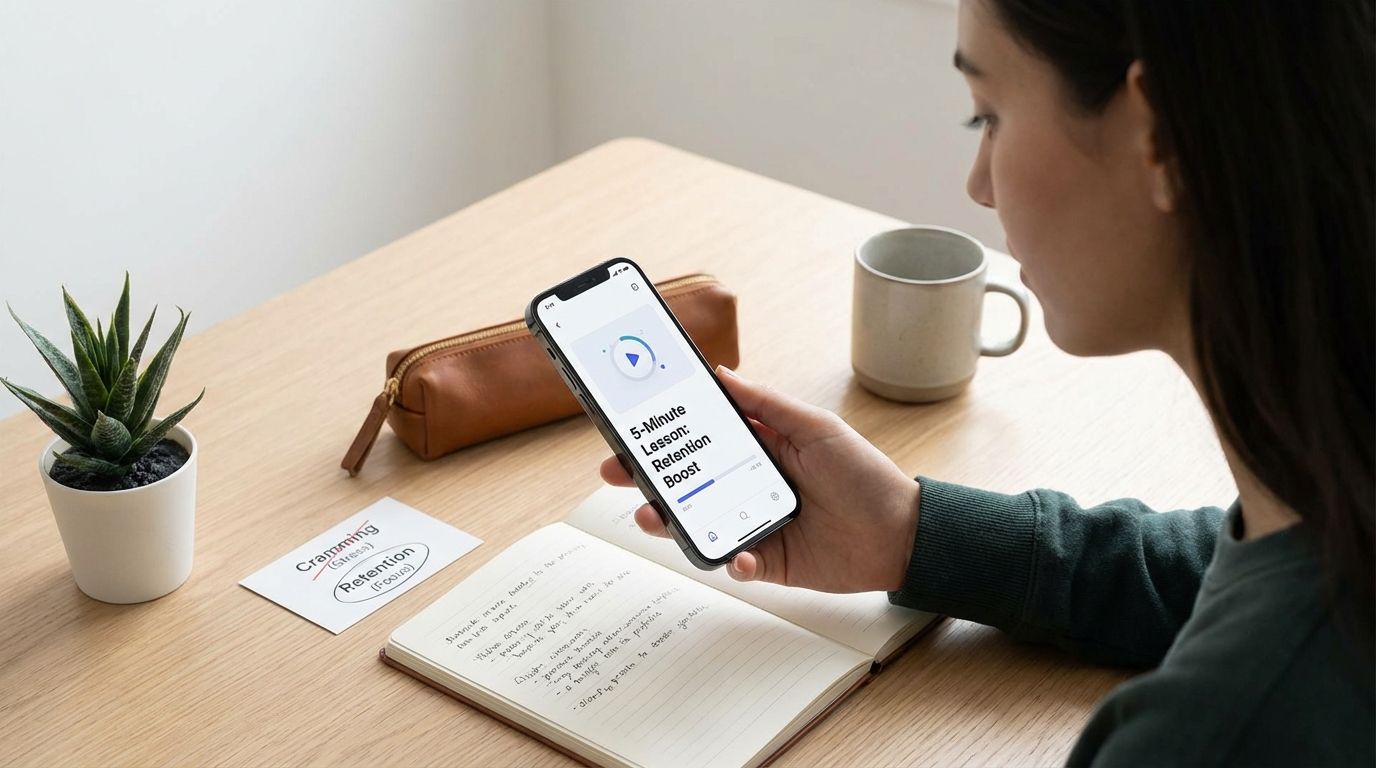
    Microlearning works because short, focused lessons fit the way you actually remember information: through repetition, retrieval, and regular exposure over time. If you want better retention, stronger completion rates, and less mental friction than last-minute cramming, five-minute learning blocks give you a practical edge.

    You are not looking at a passing content trend. You are looking at a shift in how people study, train, onboard, and refresh skills when time is limited and attention must be earned. This article shows you why five-minute lessons keep gaining ground, where they outperform cramming, where they fall short, and how you can use them without sacrificing depth or quality.

    What Is Microlearning, And Why Are 5-Minute Lessons Suddenly Everywhere?

    Microlearning is short-form instruction built around one clear concept, one task, or one decision at a time. You usually see it in quick quizzes, short videos, flashcards, mobile modules, short scenario prompts, or brief explainers that can be completed in a few minutes. The defining trait is not just brevity. The real value is focus. When you isolate one learning objective, you reduce confusion and give your brain a cleaner target to process.

    You can see why this format keeps expanding across schools, corporate training, and self-directed learning. People work between meetings, study between responsibilities, and learn on phones far more often than they sit down for long uninterrupted sessions. A five-minute lesson feels finishable. That matters more than many learning plans admit. When content feels manageable, completion rises, consistency improves, and the gap between intention and action gets smaller.

    There is also a structural reason for the rise. Organizations no longer want training that lives only in classrooms or hour-long modules that employees forget by the next week. They want learning in the flow of work, during shifts, between tasks, and near the moment of use. Students want the same thing in a different form: quick review before class, short refreshers after lectures, and repeat exposure before exams. Microlearning fits that demand because it moves with your day instead of asking your day to stop for it.

    Short-form digital behavior also shaped expectations. People are used to consuming information in compact bursts, but the important shift is that learning designers have started using that behavior with more discipline. Strong microlearning is not random scrolling. It is planned instruction, delivered in a short format, often with a question, a prompt, or a feedback loop built in. That difference is why the best microlearning performs far better than a pile of disconnected content clips.

    You should also separate microlearning from watered-down learning. Many people assume short means shallow. Poorly designed short content is shallow. Well-designed microlearning is precise. It removes filler, narrows the objective, and gives you a repeatable unit you can revisit later. That design choice makes it useful for onboarding, sales enablement, compliance refreshers, language learning, vocabulary review, software process training, and exam preparation.

    Do 5-Minute Lessons Actually Work Better Than Cramming?

    Yes, if your goal is long-term retention rather than short-term survival. Cramming can produce a temporary spike in recall, especially when you need to push information into short-term memory fast. The problem is decay. Information learned in one dense block fades quickly when it is not revisited, tested, or applied. Five-minute lessons work better when they are spaced across time and paired with retrieval, which means you actively pull information from memory instead of just rereading it.

    This difference matters more than lesson length alone. The real contest is distributed learning against massed learning. Cramming is massed learning. You force volume into one compressed session, often late, often tired, often under pressure. Microlearning supports distributed learning. You engage a concept briefly, return to it later, test yourself, correct mistakes, and reinforce memory without carrying the full cognitive burden in one sitting.

    If you have ever walked out of a long study session feeling productive and then forgotten most of it two days later, you already know the weakness of cramming. It creates the feeling of familiarity without always creating durable recall. Short lessons disrupt that illusion. They push you to meet the material repeatedly. That repetition is less dramatic than a marathon session, but it is usually more effective when you want knowledge to last beyond the next morning.

    You also gain a performance advantage in completion and follow-through. Most learners do not fail because they lack access to information. They fail because the format demands too much energy to start. A five-minute lesson lowers that barrier. You can complete it during a break, after a meeting, before bed, or while waiting for the next task. When starting is easier, repetition becomes realistic. When repetition becomes realistic, retention improves.

    There is a second advantage that often goes unnoticed: short lessons make feedback faster. In a cram session, mistakes can pile up for hours before you catch them. In a microlearning cycle, you answer one question, review one concept, apply one step, and get corrected quickly. That faster loop reduces wasted effort. It also keeps errors from becoming habits, which is critical in workplace training and technical study.

    You should not read this as a claim that every long study block is ineffective. Longer sessions still matter for deep reading, problem-solving, projects, writing, and synthesis. The point is narrower and more useful: five-minute lessons beat cramming when you need retention, recall, and consistency. That is why microlearning keeps outperforming binge-study behavior in environments where memory and execution matter more than one-night performance bursts.

    Why Does Microlearning Improve Memory And Retention?

    Microlearning improves memory when it works with the mechanics of learning instead of against them. Your brain does not reward sheer volume as much as repeated retrieval and spaced review. When you return to a concept after a gap, recall becomes harder. That effort strengthens memory. Short lessons make that cycle easier to maintain because they reduce the time cost of each review session.

    One major factor is cognitive load. Long sessions often pile too much information into working memory at once, especially when the material is dense, technical, or unfamiliar. Once overload sets in, comprehension drops and attention drifts. A five-minute lesson keeps the learning target narrow. You process one definition, one sequence, one safety step, one formula, one objection-handling move, or one writing principle. That controlled dose improves clarity and reduces the mental clutter that causes weak encoding.

    Another factor is retrieval practice. Reading notes feels productive, but recognition is not the same as recall. Retrieval forces you to produce the answer, not just notice it on the page. Microlearning often uses short quizzes, flashcards, quick prompts, and brief scenario checks, which makes retrieval part of the experience rather than an optional extra. When you repeatedly pull answers from memory, you build stronger access pathways than passive review can deliver.

    Spacing is the other major driver. If you study a topic in short bursts across days or weeks, you interrupt forgetting before it becomes permanent. That timing matters. A memory trace weakens when it is ignored, then strengthens when you revisit it and reconstruct it. Microlearning is built for that pattern. A ten-minute review can work too, but five-minute lessons are easier to repeat consistently, and consistency is what gives spacing its force.

    Immediate feedback also supports retention. When you answer a question and see the correction right away, your brain gets a clearer signal about what to keep and what to change. Long lectures and cram sessions often delay that correction until after errors have already settled in. Short modules shrink the feedback window. That helps learners fix misunderstandings before they spread across connected topics.

    There is also a motivational effect that influences memory more than many people expect. Small wins matter. When you complete a lesson quickly, your brain gets closure instead of fatigue. That feeling increases the chance that you will come back tomorrow. Habit drives exposure. Exposure drives memory. Microlearning earns retention partly because it is easier to repeat under real-life conditions, not because there is anything magical about five minutes on its own.

    You should also recognize that microlearning shines most when it is specific. It is excellent for terminology, procedures, product knowledge, language practice, policy refreshers, clinical recall, software steps, and short conceptual reviews. It is less effective when the task demands extended argument, multi-step analysis, or original synthesis in one sitting. Memory improves fastest when the lesson matches the shape of the task.

    Can Microlearning Replace Traditional Studying Or Full-Length Courses?

    No. It can replace a large amount of wasted study time, passive review, bloated training, and low-value repetition. It cannot replace every form of deep learning. If you need to build judgment, write at length, solve complex problems, complete labs, lead discussions, or connect many ideas across a field, you still need longer stretches of concentration and fuller instruction.

    This is where many articles overreach. They present microlearning as if short lessons can substitute for curriculum design, deliberate practice, coaching, or reflection. That claim collapses under real use. A five-minute module can teach a product update, reinforce a safety protocol, sharpen vocabulary, review a formula, or refresh a software workflow. It cannot fully develop expertise by itself. Expertise requires integration, correction, application, and time spent wrestling with complexity.

    You will get the best results when you position microlearning as a layer inside a larger learning system. Use it before longer study to prime your understanding. Use it after formal instruction to reinforce the key ideas. Use it between classes, shifts, or project cycles to keep memory active. Use it before high-stakes tasks to refresh procedures. Used this way, it strengthens traditional learning instead of pretending to replace it.

    There is also a practical distinction between knowing and performing. A short lesson can help you remember the steps. It cannot guarantee that you can execute them under pressure, adapt them to unusual conditions, or explain why they matter in a broader system. Those abilities come from extended practice and feedback. If you remove that deeper layer, you may produce learners who recognize terms but cannot apply them when the environment becomes less predictable.

    Quality control is another issue. Short-form learning is easy to produce, which means weak material spreads quickly. In formal courses, poor instruction can still do damage, but there is usually more review, structure, and progression. Microlearning can fail when content is fragmented, disconnected, or stripped of the background needed to interpret it correctly. That is why strong sequencing matters. Each short lesson must connect to a larger path, even if the learner only sees one piece at a time.

    The smarter claim is this: microlearning beats cramming and supports mastery, but mastery still needs depth. If you build your study or training plan around that principle, you avoid the false choice between short learning and serious learning. You can have both. Short lessons handle reinforcement and recall. Longer sessions handle synthesis and application.

    What Does Microlearning Look Like In Real Life For Students And Workers?

    In real use, microlearning is rarely one format. It is a system of short learning moments placed where they can actually be completed. For students, that can mean flashcards before class, a five-minute recap after a lecture, a quick retrieval quiz on the train, or a short explainer video tied to one difficult concept. For workers, it often means mobile training during downtime, quick scenario-based questions before a shift, short process refreshers, or product updates delivered in bite-sized modules.

    The strongest workplace examples follow the flow of work rather than interrupting it. Instead of pulling people into a long session that they forget, employers deliver training in short bursts tied to the tasks people perform every day. A warehouse worker reviews a safety procedure in a few minutes. A hotel employee gets a brief onboarding refresher tied to guest service standards. A sales team member completes a short objection-handling drill before customer calls. The lesson is small, but the timing is sharp.

    For students, the pattern is similar. Short lessons work best when they sit close to the moment of need. A language learner reviews vocabulary right before practice. A medical student runs through retrieval prompts between larger study blocks. A business student revisits a writing rule before drafting an email or report. This timing creates stronger transfer because the content is not floating in isolation. It is connected to a task, a deadline, or an upcoming decision.

    Mobile delivery has accelerated this shift. When lessons live on a phone, tablet, or lightweight training platform, access becomes easier and dead time becomes useful. A few minutes in a queue, a commute, a break, or the gap between tasks can become review time. That is not a small change. It means learning no longer depends on ideal conditions. It can happen inside real schedules, and that is one reason completion rates often rise with well-designed microlearning programs.

    Short lessons also create cleaner measurement. In corporate learning systems, managers can track completion, quiz performance, repeated errors, and time-on-task with more precision than they can in a long seminar. In personal study, you can monitor streaks, recall strength, error patterns, and topic gaps more accurately when the units are small. Better measurement leads to better adjustment. You can see where people stall, what they forget, and which topics need reinforcement.

    The format itself varies. Some learners respond best to quick quizzes. Others retain more from short explainer videos followed by recall prompts. Some need flashcards. Others need short scenarios that force a decision. The strongest programs do not rely on one content type. They build a sequence of micro-moments that combine explanation, recall, feedback, and repetition. That sequence turns short content into actual learning instead of disposable information.

    You can also see why users keep describing microlearning as easier to stick with. It feels finishable. That phrase shows up often in learner behavior because it captures the real friction point. People do not reject learning because they oppose growth. They reject formats that demand more time and attention than their day can spare. A five-minute unit fits. A fifty-minute module often gets postponed, then ignored, then forgotten.

    What Are The Limits Of Microlearning, And When Does It Fail?

    Microlearning fails when it becomes fragmented, shallow, or disconnected from performance. Short content is useful only when it preserves meaning. If you break a complex topic into tiny pieces without showing how those pieces connect, learners may remember isolated facts and still miss the larger system. That problem shows up in academic study, corporate training, and skill development whenever brevity replaces structure.

    It also fails when people confuse exposure with mastery. Watching a three-minute video on a concept does not mean you can explain it, apply it, troubleshoot it, or teach it. Microlearning is excellent at maintaining familiarity and improving recall. It is weaker when the task demands extended reasoning, sustained analysis, or layered judgment. If you rely on short lessons alone for those outcomes, you create confidence without competence.

    Another failure point is weak instructional design. Many teams cut long courses into smaller clips and call the result microlearning. That is not enough. A shortened lecture is still a lecture if it lacks a clear objective, an active prompt, and a reason to return later. Strong microlearning is designed around one action or one decision, with built-in repetition and feedback. Weak microlearning is just chopped-up content with no memory strategy behind it.

    Quality control matters too. Short-form educational content is easy to distribute, especially on social platforms and low-friction learning channels. That accessibility can help with reach, but it can also reduce reliability when content is oversimplified, poorly sourced, or detached from expert review. If the material is wrong, incomplete, or stripped of necessary context, the short format only accelerates the spread of misunderstanding.

    You should also be careful with transfer. A short lesson can refresh a procedure, but transfer into real performance often requires rehearsal in realistic conditions. A healthcare learner may remember a protocol and still need supervised application. A student may recall a formula and still need longer problem sets to use it effectively. A manager may remember communication principles and still need coaching to execute them during difficult conversations. Microlearning supports performance best when it feeds into practice, not when it stands alone.

    There is a timing issue as well. Too many short lessons can create noise if they arrive without sequencing, prioritization, or meaningful spacing. Learners can end up with constant micro-input and very little consolidation. You do not want endless content fragments. You want a planned rhythm: learn, retrieve, apply, revisit. Without that rhythm, short lessons become distractions dressed as productivity.

    The limit is not the length of the lesson. The limit is whether the lesson matches the learning goal. Use microlearning for reinforcement, recall, refreshers, habit-building, and just-in-time support. Use longer instruction for synthesis, advanced reasoning, and extended application. When you respect that boundary, microlearning becomes powerful. When you ignore it, it becomes noise.

    How Should You Use Microlearning To Beat Cramming Without Losing Depth?

    You need a system, not random bursts of content. Start by identifying the exact knowledge or skill that must stay accessible over time. Break it into small units with one learning objective each. Then pair every unit with retrieval. Do not just read or watch. Answer a question, recall a step, define a term, make a choice, or complete a short action. That active element is what separates learning from exposure.

    Space the lessons across days instead of stacking them into one long block. If you review a concept today, revisit it after a short gap, then again after a longer gap. This schedule interrupts forgetting and strengthens memory at the moment recall starts to feel harder. That effort is useful. Easy review feels smooth, but difficult recall usually builds more durable retention.

    You should also connect short lessons to bigger outcomes. If you are studying for exams, use microlearning to lock in definitions, formulas, concepts, and recurring question types, then follow it with longer problem-solving or writing sessions. If you are training a team, use short modules to reinforce procedures and product knowledge, then use role-play, simulations, observation, or coaching for applied performance. This pairing gives you the efficiency of short learning without losing the depth serious work requires.

    Measure recall, not just completion. Completion tells you that a learner finished a unit. It does not tell you that the knowledge will be available next week. Add quick quizzes, periodic reviews, cumulative prompts, and error tracking so you can see whether learning sticks. The most effective microlearning programs are not content libraries. They are memory systems.

    It also pays to limit topic spread. If every five-minute lesson covers a different unrelated subject, retention weakens and attention gets scattered. Group related ideas, build progression, and revisit core concepts repeatedly. You want focused repetition, not constant novelty. Novelty feels engaging in the moment, but repetition is what protects recall when the learner needs to act without hesitation.

    Use short lessons to start momentum, then protect longer focus when the task demands it. This is the operating model that works in real environments. Five minutes gets the learner moving. Repetition keeps memory alive. Longer work sessions handle integration and output. When you combine them with discipline, you replace cramming with a learning rhythm that is more stable, more realistic, and far more effective over time.

    Do 5-Minute Lessons Work Better Than Cramming?

    • Yes, for retention, recall, and consistency.
    • Short lessons work best when spaced over time.
    • Pair them with quizzes, flashcards, or quick retrieval.
    • Cramming can help short-term recall, but memory fades faster.

    Build A Learning Rhythm You Can Actually Sustain

    If you want learning that lasts, stop treating study and training like an endurance event and start treating it like a repeatable operating habit. Five-minute lessons outperform cramming when they are focused, spaced, and tied to recall, which makes them easier to complete and easier to remember. You still need longer sessions for deep work, but you no longer need to depend on marathon review blocks just to keep knowledge alive. Use microlearning to reinforce the essentials, strengthen memory under real-life conditions, and keep progress moving even on crowded days. When you build that rhythm well, you do not just learn more often. You remember more when it counts.

  • Digital Learning Hacks: Surprising Strategies That Boost Memory and Understanding

    Digital Learning Hacks: Surprising Strategies That Boost Memory and Understanding

    You boost memory and understanding online by forcing your brain to retrieve and rebuild knowledge on a schedule, instead of re-reading and re-watching until it feels familiar.

    This guide gives you field-tested, research-backed digital study moves you can implement today, whether you learn from videos, PDFs, courses, or AI-assisted notes. You will get clear workflows for active recall, spaced repetition, interleaving, and note-taking that stays fast without turning into mindless transcription.

    What Are The Best Digital Learning Hacks To Remember What You Study Without Rereading Everything?

    The highest-impact upgrade is shifting your default behavior from consumption to retrieval. Rereading, rewatching, and re-highlighting often builds familiarity, not access. Access is what shows up on exams, in meetings, and when you need to apply knowledge under time pressure.

    On a screen, passive review feels productive because it is smooth. Your brain recognizes the material, the pace feels efficient, and the content looks “known.” Recognition is not recall, and recall is the performance metric that matters. Your goal is to build the ability to produce the idea, explain it, and use it without the page open.

    Implement a default study loop that turns every digital session into outputs. Read or watch a short segment, close the source, write what you remember in plain language, then reopen to correct gaps. Convert the missed points into a short quiz you take later. This converts “time spent” into “retrieval reps,” which is where the durable learning comes from.

    Keep your loop small and frequent. Many learners overbuild systems and burn out, or they underbuild systems and never change behavior. A minimal loop that runs every day beats a sophisticated setup that runs once. When the loop is stable, you can add layers like spacing and interleaving without adding friction.

    How Does Retrieval Practice Improve Long-Term Retention In Digital Learning?

    Retrieval practice improves retention by making memory work harder at the exact moment it wants to stay lazy. When you attempt to pull information out without looking, you strengthen access routes and expose what is missing. Digital learning platforms often remove this productive struggle by keeping the answer one swipe away.

    A simple rule keeps you honest: if your eyes can see the source, it is not retrieval. You can still learn from open materials, but the memory boost comes from closing the tab, hiding the notes, or switching to a blank screen. The key is committing to a real attempt before you check.

    Build retrieval into your tools instead of relying on willpower. Use practice questions, short free-recall prompts, flashcards with conceptual cues, or a self-made quiz. Make feedback non-negotiable. If you retrieve incorrectly and never correct it, you can reinforce errors or keep a fuzzy model that collapses under application.

    Use retrieval for understanding, not just facts. If you only drill definitions, you build dictionary memory and still fail on transfer. Add prompts that force explanation and decision-making. Good retrieval prompts include “Why does this happen,” “What changes if this assumption breaks,” “Which method applies here and why,” and “What is the simplest example that proves the rule.”

    How Do You Use Spaced Repetition Correctly For Understanding, Not Just Memorizing Flashcards?

    Spaced repetition works when it schedules retrieval at the edge of forgetting. That edge is where the memory signal strengthens without wasting time. Many people misuse spaced repetition by reviewing too soon, overloading decks, or building cards that test recognition rather than recall.

    To keep spacing focused on understanding, write prompts that force meaning and structure. Instead of “Define X,” use “Explain X in two sentences, then give one constraint,” or “Compare X vs Y in one axis that matters,” or “Solve a new case with the same rule.” These prompt types reduce shallow memorization and build flexible knowledge.

    Keep cards tightly scoped. A card that asks for a full chapter summary becomes so hard that you avoid it, then the queue explodes. Split big ideas into a chain: definition, mechanism, boundary conditions, then one applied example. Your system should feel demanding during recall, not demanding during maintenance.

    Set a capacity limit so spaced repetition stays sustainable. A practical cap is a daily review budget that you protect like a meeting. When you hit the cap, stop adding new cards and convert learning into retrieval without card creation. Spaced repetition is a tool for scheduling, not a requirement for every sentence you read.

    What Is The Fastest Way To Turn Online Articles, PDFs, Or Videos Into Knowledge You Actually Retain?

    Speed comes from creating a capture-to-quiz pipeline that produces study objects with minimal manual work. Your input sources differ, but the workflow stays consistent: capture a small unit, extract the core claims, generate retrieval prompts, then schedule review. When you do this consistently, you stop losing hours to re-finding the same information.

    Start with aggressive chunking. For articles and PDFs, capture one subsection at a time. For videos, capture one segment at a time, ideally 3 to 7 minutes. After each chunk, pause and do a short blank-screen recall. If you cannot state the idea without looking, you do not own it yet, and moving forward just piles confusion.

    Convert highlights into questions, not summaries. A highlight that remains a highlight rarely becomes usable knowledge. A question forces retrieval later. Transform each key point into one of three prompt types: explanation prompt, comparison prompt, or application prompt. Keep the answer short, then store it in your notes app, task manager, or SRS.

    If you read widely, incremental reading-style workflows can reduce overload by spreading extraction over time. The strength is not the concept name, it is the operational behavior: you return to partial notes, extract one actionable prompt, then move on. This prevents long reading sessions from turning into forgotten archives.

    Is Taking Notes On A Laptop Or Tablet Bad For Learning, Or Is That A Myth?

    The real risk is not the device, it is the behavior the device makes easy. Typing enables speed, and speed enables verbatim capture. Verbatim capture often feels like learning, yet it can bypass the processing you need for understanding. Handwriting tends to slow you down and pushes summarization, which can improve conceptual learning in some contexts.

    Replication work complicates simplistic rules like “always handwrite.” Results vary by setup, learner differences, and assessment timing. You do not need a debate about hardware. You need an operating standard that prevents transcription and forces meaning-making, whether you type or write.

    Set constraints that turn digital notes into learning. Use short bullets, limit each bullet to one idea, and require one “why” line after every major point. Add retrieval breaks: every 5 to 10 minutes, hide the content and write what you remember. This immediately exposes whether the notes are doing cognitive work or just capturing sound waves.

    Separate capture notes from study notes. Capture notes record what was said. Study notes are the version you can test yourself on. If you keep only capture notes, you will reread them under stress and mistake familiarity for competence. Convert capture notes into prompts and mini-explanations within 24 hours while the structure is still fresh.

    What Is Interleaving, And Why Does Mixing Topics Feel Harder But Improve Learning?

    Interleaving means you mix related topics or problem types during practice instead of blocking one type for a long run. It feels harder because your brain cannot run on autopilot. That difficulty is valuable because it forces selection, you must decide which method applies, not just repeat the last procedure.

    Blocked practice often inflates confidence. You get fast, you feel fluent, and you think you understand. Interleaving lowers that comfort by design. It introduces spacing between similar items and pushes discrimination, which builds the ability to choose correctly under exam-like conditions.

    Digital implementation is straightforward. Build practice sets that rotate every 3 to 5 items across categories. If you study math, rotate across problem types. If you study language, rotate across grammar patterns and vocabulary usage. If you study professional content, rotate across concepts, edge cases, and decision rules.

    Measure interleaving the right way. During practice, your score may drop. On delayed testing or novel problems, performance usually improves when interleaving is working. Track results with a weekly mixed quiz, not just with same-day drills. If you only measure immediate performance, you will optimize for comfort and lose long-term gains.

    How Do You Stop The Illusion Of Competence When Learning Online?

    The illusion of competence is the gap between “this looks familiar” and “you can produce it.” Digital environments amplify this gap. Search, autoplay, and easy scrolling keep you in recognition mode, and recognition mode hides weaknesses until the moment you need recall.

    Install friction that forces production. After every segment, do a blank-page recall. Then grade it against the source and mark missing items. Missing items become a short queue of questions you retest tomorrow. This is not slow. It is faster than rewatching the full lesson three times and still failing under pressure.

    Use delayed checks, not same-session confidence. Immediate performance can mislead you because the content is still active in working memory. A 24-hour retest is a more honest signal. If you can explain it tomorrow without the page open, you learned it. If you cannot, you collected it.

    Add a forward-learning booster: short tests between learning blocks can improve learning of the next block. A quick quiz before you move on also reduces mental drift and strengthens attention. This is one reason frequent low-stakes quizzes in digital courses often beat long lectures followed by one high-stakes exam.

    How Do You Build A Weekly Digital Study Plan That Actually Sticks?

    A plan sticks when it is small, scheduled, and measurable. Most learners fail because they aim at a perfect routine and then abandon it after one busy week. You need a plan that survives real life, then you scale it.

    Set three anchors: a daily retrieval block, a daily spaced review block, and a weekly mixed test. Keep each anchor short enough that you do not negotiate with yourself. A daily retrieval block can be 20 minutes. A daily review block can be 15 minutes. A weekly mixed test can be 30 to 45 minutes.

    Define what “done” means for each anchor. “Study chapter 4” is vague and easy to avoid. “Create 10 questions from section 4.2 and answer them closed-notes” is concrete and self-grading. In digital learning, clarity is leverage, since distractions always compete for attention.

    Use simple tracking. Track number of retrieval prompts answered, number of missed prompts corrected, and score on the weekly mixed test. Do not track hours unless you also track outputs. Outputs drive retention, and output metrics keep you honest when your schedule gets tight.

    Best Digital Learning Methods For Memory And Understanding

    • Active recall: close notes, retrieve, then check
    • Spaced repetition: schedule reviews near forgetting
    • Interleaving: mix topics to practice choosing methods
    • Feedback: correct errors immediately after retrieval

    Build Your Personal Digital Learning Playbook

    Digital learning becomes durable when you run a tight cycle: retrieve, correct, space, then mix. Keep your notes lean, force production every session, and measure progress with delayed checks rather than same-day comfort. Use spaced repetition to manage timing, not to turn your life into a flashcard queue. Mix topics once you can recall basics, then keep a weekly mixed test to protect transfer and decision-making. If you implement only one change, implement blank-screen recall after every chunk, then schedule a 24-hour retest.


    References

  • How to Outsmart Procrastination: AI-Powered Time Management for Students

    How to Outsmart Procrastination: AI-Powered Time Management for Students

    You outsmart procrastination by using AI to convert vague schoolwork into scheduled, protected work blocks that automatically adapt when your day changes. When your plan lives on a calendar (not just a to-do list), starting becomes a default action instead of a daily negotiation.

    This guide shows how to use AI scheduling, time-blocking, focus protection, and distraction control to execute consistently during a busy semester. You’ll get student-tested workflows for starting fast, staying off your phone, rescheduling without spiraling, and using AI as a study operator rather than a last-minute crutch.

    You’ll also see how to pick the right category of tool (task-to-calendar schedulers, focus defenders, habit schedulers, timers, classroom Q&A assistants), then assemble a simple system that stays reliable after the initial motivation fades.

    What’s The Best AI Time-Management App For Students Who Procrastinate?

    The best AI time-management app for a procrastinating student does one job better than everything else: it turns tasks into calendar time, with realistic durations, then adjusts automatically when plans change. A long to-do list feels productive and still leaves you stuck at 10 p.m. with no idea when anything will happen. A calendar-based plan forces the “when,” which removes the ambiguity that fuels avoidance.

    Look for features that reduce start friction: task breakdown, duration estimates, calendar sync, and fast rescheduling. Tools that act as “task-to-calendar” bridges push you into time-blocking without requiring perfection. Trevor AI, for example, centers on scheduling tasks directly into Google Calendar, with estimated durations and easy drag-and-drop moves when the day shifts.

    Also watch for “focus defense” behavior, where the tool actively protects work time. Reclaim’s Focus Time is built around defending deep work blocks around meetings and responsibilities, then reallocating time when conflicts appear. That matters on weeks when group meetings, office hours, labs, practice sessions, commuting, and family obligations destroy the original plan.

    Selection rule that holds up in real student life: choose one primary scheduling engine (where your time gets blocked), then optionally add one distraction-control tool. If two planners compete for your calendar, the system becomes maintenance-heavy, and procrastination returns under the label of “organizing.”

    How Can AI Help You Stop Procrastinating Today (In The Next 30 Minutes)?

    Use AI to force a tiny start, then lock that start into a short calendar block or timer sprint. Your objective for the next 30 minutes is not “finish the assignment.” Your objective is to create momentum with a defined deliverable that fits inside a single focus block. When the deliverable is small and time-boxed, getting started becomes easier than avoiding it.

    Start with a micro-output you can complete fast: open the rubric, extract grading criteria, build a bare outline, or collect the first three sources. Ask your AI assistant for three steps that take under 10 minutes each, pick step one, then immediately schedule a 20–30 minute block to execute. If you already use a calendar-based scheduler, convert the block into a protected focus event so it behaves like an appointment, not a wish.

    Pair the block with a simple time-boxing method to stay moving. The Pomodoro-style pattern (short focused work periods with short breaks) remains popular because it creates repeated starts, which is the hardest part for procrastinators. Use it as an execution layer on top of your calendar plan, not as a replacement for scheduling.

    Phone distraction usually breaks the “today” plan. Students often succeed when they treat a focus app as a hard barrier rather than a motivational badge. If your phone is the primary leak, implement a friction tool that prevents scrolling during the sprint, then return to the calendar block with less willpower required.

    Does Time-Blocking Actually Work For Procrastination, Or Is It Just Another Productivity Trend?

    Time-blocking works for procrastination because it converts distant, abstract tasks into near-term commitments with defined start times. Procrastination thrives when “sometime later” stays available as an option. Time-blocking removes that option by assigning a place on the calendar, which reduces ambiguity about when you will start and how long you will work.

    The practical advantage is execution clarity. When a block starts, you do not decide what to do, you follow the block. That matters on stressful weeks because decision fatigue becomes the hidden driver of avoidance. The moment you open your laptop and still have to decide what matters, you drift to low-friction activities and call it “preparation.”

    AI makes time-blocking easier by handling maintenance, the part procrastinators avoid. If a meeting, lab, or commute conflicts with a planned block, many students simply abandon the plan instead of rebuilding it. Reclaim’s Focus Time is designed to defend deep work by creating focus blocks based on a weekly goal and reallocating time when conflicts occur. That “auto-repair” behavior keeps you from losing the week after one bad day.

    To keep time-blocking from becoming unrealistic, treat the calendar as a capacity tool. You cannot schedule eight hours of deep work on top of classes, meals, commuting, and group obligations and expect compliance. AI schedulers help here by making overcommitment visible early, before it turns into late-night panic.

    What’s The Safest Way To Use ChatGPT/AI For School Without Getting Flagged For Cheating?

    Use AI to improve your process: planning, outlining, studying, practice questions, rubric checks, and clarifying concepts. Keep your final submission anchored in your own work product, notes, and drafts. The safest operational pattern is to treat AI like a planning assistant and tutor, then produce the actual deliverable through your own writing, calculations, problem-solving steps, and citations.

    Operationally, build a “paper trail” that matches real student workflow. Save your outline versions, keep source notes, retain intermediate drafts, and document the edits you make. This keeps your work coherent and consistent, and it protects you if questions come up about how you arrived at the final result. A clean process also improves quality because you will notice gaps earlier instead of discovering them at submission time.

    Use AI scheduling to remove procrastination pressure without outsourcing the assignment. Ask for a realistic timeline based on the deadline, your class blocks, and your work shifts. Then schedule the blocks into your calendar using one tool, and execute them with a timer. Reclaim’s features around Focus Time and Habits support the “schedule first, execute second” discipline, which lowers the chance of a last-minute scramble.

    If your need is real-time learning support rather than content generation, classroom Q&A assistants are a separate category worth knowing about. Systems like AskNow are designed to help students ask questions and resolve confusion during lectures with context-aware responses grounded in the ongoing class session, reducing time-to-clarity during learning. That is a different use case than producing a final submission, and it pairs well with a study schedule.

    How Do You Stop Phone Distractions While Studying (Especially Social Media)?

    Stop phone distractions by adding friction, then scheduling your focus blocks when you are most likely to comply. Motivation fades fast, friction holds. If the phone stays within reach and unlocked, the odds of “just checking” climb sharply the moment a task gets boring or confusing. Your job is to make the distracting action harder than continuing the work.

    Implement a two-layer system: a focus timer that creates a defined sprint, plus a phone barrier that removes the escape hatch. Many students report better results when they use a dedicated focus app as a commitment tool, and some run a mobile focus app alongside a browser extension to prevent device-hopping loopholes. The goal is not perfect discipline, it is consistent protection during your scheduled work windows.

    Then align the blocks with your daily energy pattern. If you keep losing evenings to scrolling, schedule one protected block right after class, and another earlier in the evening before fatigue peaks. AI calendar tools help here by placing focus time around existing obligations and by rescheduling when conflicts hit, so you do not have to manually rebuild the day after one interruption.

    Also reduce context switching on your computer. Close extra tabs, disable non-essential notifications, and keep a single “work surface” open: assignment doc, rubric, and one research tab. Your phone is not the only distraction source, yet it is usually the easiest one to eliminate quickly with a barrier tool and a short sprint schedule.

    What If You Have ADHD Or You’re Neurodivergent, Are AI Planners Actually Better?

    AI planners can be better when they reduce decision load, provide stronger cues, and simplify the next action. The advantage is not novelty, it is external structure. When a tool converts “should do” into “scheduled now,” you spend less energy deciding and more energy executing. That shift matters when attention control is inconsistent across the day.

    Look for planners that support visual planning, persistent reminders, and routines that reschedule instead of failing. Habit scheduling is useful here because it turns supportive routines into calendar events. Reclaim Habits schedule routines like recurring events, use preferences and priorities to place them, and automatically reschedule when overbooked. That prevents a missed routine from collapsing the rest of the week.

    Also prioritize tools that protect focus with minimal setup. Reclaim’s Focus Time lets you set a weekly goal and then defend blocks around meetings and responsibilities. Pair that with short work sprints and a clear definition of “done” for each block, and you reduce the mental overhead that often triggers avoidance.

    If you need additional accessibility cues, consider planners that emphasize structure and reminders across the day. Tiimo has been positioned as a planner for neurodivergent users and has received mainstream attention, including coverage tied to Apple’s iPhone App of the Year recognition in 2025. The practical decision rule remains the same: pick one system you will actually maintain, then keep the workflow minimal.

    Why Do You Quit After A Week, And How Do You Build An AI System You’ll Stick To?

    You quit after a week when the system requires more effort than the work. Early motivation covers setup, then real life returns and maintenance becomes a new form of procrastination. If your planner requires constant manual reshuffling, you will stop opening it, then the guilt cycle starts, then you abandon the tool. Sustainability comes from automation and low daily friction.

    Build a system with three non-negotiables: default focus blocks, automatic rescheduling, and a minimum viable day. Default focus blocks remove daily negotiation and protect capacity before it gets consumed by other demands. Automatic rescheduling prevents one missed block from turning into a lost week. A minimum viable day keeps momentum alive when the schedule is chaotic, usually two short sprints that still move assignments forward.

    Use locking strategically so the tool helps instead of surprising you. If you want a block to stay put, use calendar locks so focus time does not drift into the night. Reclaim supports locking events to prevent automatic rescheduling, and it can auto-lock certain items at the beginning of the day. This supports a stable daily rhythm without constant manual policing.

    Add buffers if back-to-back commitments keep breaking your plan. When you stack classes, meetings, commuting, and study blocks with no transition time, the schedule looks good and fails in practice. Smart buffer time creates breathing room so you can reset and still start the next block on time, which protects consistency across the week.

    How To Set Up Your AI-Powered Student Time Management System In 30 Minutes

    Set up your system by deciding where time gets scheduled, then adding one execution layer and one distraction-control layer. Your scheduling layer is your calendar and an AI planner that converts tasks into time blocks. Your execution layer is a short-sprint method you can repeat without thinking. Your distraction-control layer blocks the main leak, usually the phone.

    Start by connecting your planner to the calendar you actually use. If you live in Google Calendar, pick a tool that schedules tasks directly into it with durations and quick moves, so your plan stays visible. Trevor AI’s Google Calendar integration is a clean example of this “tasks become blocks” model, letting you drag tasks into your timeline and adjust when the day shifts.

    Then create a weekly structure that respects capacity. Block fixed commitments first: classes, labs, work shifts, commuting, meals, sleep. Set a weekly focus goal, then let a focus defender allocate blocks around those commitments. Reclaim’s Focus Time workflow supports setting a weekly goal, choosing a mode, then letting the system protect the hours you need to get work done, with conflict resolution if meetings collide.

    Close with an execution checklist you can run every time a block starts. Open the assignment, identify the micro-deliverable, start a timer sprint, and keep the phone blocked until the sprint ends. That routine sounds simple, yet it wins because it reduces the number of decisions you make when your motivation is low.

    Best AI Time-Management Method For Procrastinating Students

    • Schedule tasks into your calendar
    • Protect focus blocks with auto-rescheduling
    • Execute in 20–30 minute sprints
    • Block phone distractions during sprints

    Build A Week That Runs Without Willpower

    Procrastination loses its leverage when your work becomes scheduled, protected, and easy to restart after interruptions. Use one calendar-based AI planner to convert assignments into time blocks, then add focus defense so conflicts do not destroy the plan. Execute with short, repeatable sprints, and block the phone during those sprints so you do not rely on motivation. Keep routines on the calendar with habit scheduling, and add buffers so transitions stop breaking your day. Implement the minimum viable day so momentum survives heavy weeks, then scale up when capacity opens.


    References

  • How to Leverage Chatbots and AI Tutors for Better Grades

    How to Leverage Chatbots and AI Tutors for Better Grades

    You can leverage chatbots and AI tutors for better grades by using them as structured, always-available study partners that personalize explanations, reinforce weak areas, and accelerate practice feedback. When implemented deliberately, these tools increase comprehension, retention, and academic confidence.

    This article explains how to leverage chatbots and AI tutors for better grades using real student questions, current research, and field-tested study workflows. You’ll learn where AI tutoring adds measurable value, how to integrate it into daily study routines, and how to avoid missteps that dilute results.

    What Are Chatbots and AI Tutors in Modern Education?

    Chatbots and AI tutors are AI-driven learning tools that interact through natural language to explain concepts, answer questions, and adapt instruction to your performance.

    Chatbots focus on conversational interaction. You ask questions in plain language, and the system responds with explanations, worked examples, or clarifications aligned to your prompt. Modern educational chatbots maintain conversational memory, allowing follow-up questions that build progressively deeper understanding rather than isolated answers.

    AI tutors extend this capability by adapting to your learning patterns. They track where you hesitate, repeat errors, or request clarification, then adjust difficulty, pacing, and explanation style. This adaptive behavior mirrors one-on-one tutoring at scale, supporting personalized learning without scheduling constraints.

    Research from higher-education studies shows that students using AI-assisted tutoring tools report stronger engagement and improved academic outcomes when the tools are used consistently for reinforcement and practice rather than shortcutting assignments. These tools function best as structured academic support systems, not replacements for instruction.

    How Do Chatbots and AI Tutors Improve Grades?

    Chatbots and AI tutors improve grades by providing immediate feedback, personalized explanations, and targeted practice aligned to your specific learning gaps.

    Immediate feedback plays a decisive role in learning efficiency. When confusion arises, waiting hours or days for clarification often interrupts momentum. AI tutors respond instantly, allowing you to correct misunderstandings while the material remains active in memory. This timing improves retention and reduces compounding errors.

    Personalization further strengthens performance. AI tutors adjust explanations based on your responses, offering alternative breakdowns or simpler examples when concepts do not click immediately. Over time, this adaptive pacing ensures you spend study hours where they deliver the most academic return.

    Empirical research published in academic journals and university studies indicates that students using AI-supported tutoring show measurable gains in comprehension and assessment scores, particularly in technical subjects where iterative practice and explanation depth matter. When used consistently, these gains translate directly into improved grades.

    What Academic Tasks Are Best Supported by AI Tutors?

    AI tutors are most effective for concept clarification, practice generation, revision support, and skill reinforcement across a wide range of subjects.

    In quantitative disciplines like mathematics, statistics, and science, AI tutors excel at step-by-step problem breakdowns. You can ask why a specific step occurs, request alternative solution paths, or practice variations of the same problem until mastery stabilizes.

    In writing-intensive courses, AI tutors assist with structure, clarity, and revision guidance. They help you identify weak arguments, unclear transitions, or inconsistent tone without rewriting your work outright. This support improves writing quality while preserving your original thinking.

    For memorization-heavy subjects, AI tutors generate quizzes, flashcards, and recall prompts that support spaced repetition. This method strengthens long-term retention and reduces last-minute cramming, which correlates with stronger exam performance.

    How Should You Integrate AI Tutors into Daily Study Routines?

    You should integrate AI tutors into daily study routines as reinforcement tools immediately after instruction and during scheduled revision blocks.

    The most effective use occurs shortly after lectures or readings. Reviewing material with an AI tutor on the same day strengthens memory consolidation. You clarify confusion early rather than letting gaps widen before assessments.

    Scheduled revision sessions further compound benefits. AI tutors generate targeted practice sets based on previously missed concepts, allowing efficient review without redundant effort. Over weeks, this systematic reinforcement builds durable understanding rather than temporary familiarity.

    Consistency matters more than session length. Short, focused interactions with AI tutors integrated into your calendar yield stronger results than sporadic, lengthy sessions driven by deadline pressure. Structured repetition produces measurable academic gains.

    How Do Chatbots Support Personalized Learning Paths?

    Chatbots support personalized learning by adapting explanations, examples, and practice intensity based on your interactions.

    Every student processes information differently. Some benefit from visual breakdowns, others from textual reasoning or analogical explanation. Chatbots adjust responses dynamically as you signal confusion or mastery through follow-up questions.

    Personalized pacing also reduces frustration. When you struggle, the system revisits foundational concepts without judgment or time pressure. When you progress quickly, it advances to more challenging material without unnecessary repetition.

    This responsiveness increases engagement. Students remain more motivated when learning feels tailored rather than generic. Sustained engagement correlates strongly with improved academic performance, especially in cumulative subjects.

    What Are Common Student Mistakes When Using AI Tutors?

    A common mistake is using AI tutors as answer generators rather than learning accelerators.

    When students copy responses without engaging with explanations, comprehension suffers. Grades may improve temporarily on assignments but decline on exams where independent reasoning is required. Effective use demands interaction, questioning, and reflection.

    Another mistake involves overreliance without verification. AI tutors occasionally generate inaccuracies or oversimplifications. Cross-checking explanations against course materials and instructor guidance maintains academic rigor and alignment with grading criteria.

    Lack of structure also limits value. Random AI usage without a study plan produces inconsistent outcomes. Students who schedule AI-assisted sessions around specific goals see stronger results than those who rely on ad-hoc queries.

    How Do AI Tutors Complement Human Teachers and Tutors?

    AI tutors complement human educators by handling repetition, practice, and clarification, freeing instructors to focus on higher-order learning.

    Human instructors provide mentorship, contextual judgment, and assessment feedback that AI cannot replicate. AI tutors support these roles by reinforcing foundational knowledge outside class hours.

    This division of labor improves efficiency. Students arrive better prepared for office hours or tutoring sessions, enabling deeper discussion rather than basic clarification. That preparation elevates the quality of human interaction.

    Educational institutions increasingly view AI tutoring as a scalable supplement that enhances student support without replacing instructional expertise. When integrated thoughtfully, this combination strengthens academic outcomes.

    What Are the Limitations of Chatbots and AI Tutors?

    AI tutors cannot replace critical thinking, instructor evaluation, or subject-specific nuance required in advanced coursework.

    Complex subjects involving interpretation, ethical judgment, or original research still require human oversight. AI tutors provide guidance, not authority. Treating outputs as definitive risks misunderstanding nuanced material.

    Data accuracy also varies by platform and prompt quality. Clear, precise questions yield better responses than vague queries. Developing strong questioning skills enhances AI tutor effectiveness.

    Awareness of these limitations ensures responsible use. Students who balance AI assistance with independent reasoning and instructor feedback maintain academic integrity and long-term skill development.

    Using Chatbots and AI Tutors for Better Grades

    • Personalized explanations on demand
    • Instant feedback during study sessions
    • Adaptive practice for weak areas
    • Reinforcement between classes and exams

    Turn AI Study Support into Academic Advantage

    When you use chatbots and AI tutors with structure and intention, they become powerful academic allies. You gain immediate clarification, personalized reinforcement, and consistent practice without scheduling barriers. These tools perform best when integrated into daily routines, aligned with course expectations, and balanced with human instruction. Used this way, AI tutors strengthen understanding, stabilize performance, and support sustainable grade improvement across the academic term.

  • Top 10 Apps for Organizing Your Academic Life

    Top 10 Apps for Organizing Your Academic Life

    The best academic organization apps give you a structured system to manage classes, deadlines, notes, and study time without mental overload. When you use the right tools consistently, you replace chaos with control across an entire academic year.

    This long-form guide breaks down the top ten apps for organizing your academic life using real student behavior, current adoption patterns, and proven workflows. You’ll learn what each app does best, how students actually use it during demanding semesters, and how to assemble a setup that supports execution, focus, and long-term academic performance.

    1. Notion — Build a Central Command Center for Your Academic Life

    Notion functions as an all-in-one academic hub that connects planning, notes, projects, and long-term tracking in one system.

    Notion allows you to design your academic workspace around how you think and work. Students commonly create dashboards that show courses, assignments, exams, and reading lists in one view. Instead of jumping between separate apps, you see priorities, deadlines, and reference material side by side, which reduces friction when workloads increase.

    The real strength of Notion shows up over time. As the semester progresses, databases grow with lecture notes, project milestones, and revision material. You can switch between calendar views, task boards, or simple lists depending on the week’s intensity. That flexibility supports both structured planning and rapid adjustment when deadlines shift or group projects change pace.

    Notion also supports collaboration without confusion. Shared pages keep group members aligned on expectations, submission dates, and progress. Permissions allow control over editing, which helps prevent accidental changes. When used consistently, Notion becomes the operational backbone of your academic life rather than just another note app.

    2. Todoist — Convert Syllabi into Daily Execution

    Todoist specializes in turning academic requirements into clear, actionable task lists.

    Todoist is widely adopted by students who want structure without visual clutter. You can input assignments using natural language, assign due dates, and add priority levels. During syllabus week, many students load every deadline into Todoist at once and rely on the app to surface tasks at the right time.

    What makes Todoist effective is its focus on daily execution. Each morning, you see exactly what requires attention. Filters help isolate urgent coursework during peak periods like midterms or finals. That clarity prevents important assignments from getting buried under less critical tasks.

    Todoist also supports recurring academic habits. Study sessions, weekly reviews, and revision blocks can be scheduled automatically. Over an entire term, this repetition builds consistency. Instead of reacting to deadlines, you operate from a controlled, forward-looking task system.

    3. Google Calendar — Anchor Your Time with Precision

    Google Calendar provides a stable structure for managing academic time commitments.

    Google Calendar helps you treat time as a finite resource rather than an abstract idea. Students map classes, labs, tutorials, work shifts, and study blocks into visible schedules. This approach reduces overcommitment and exposes unrealistic planning early.

    The visual layout of Google Calendar encourages better decision-making. Color-coded calendars separate academic, personal, and extracurricular commitments. Notifications act as safeguards against missed lectures or submission windows. Over time, you develop a realistic sense of how much work fits into a week.

    Students who use Google Calendar effectively conduct regular reviews. Weekly planning sessions adjust time blocks based on upcoming assessments. That habit improves predictability and reduces last-minute pressure. Across a full academic year, calendar discipline becomes a competitive advantage.

    4. Microsoft OneNote — Organize Lecture Content at Scale

    OneNote structures large volumes of academic material in searchable notebooks.

    Microsoft OneNote mirrors the logic of physical binders while adding digital power. You create notebooks for each term, sections for courses, and pages for lectures. Typed notes, handwritten annotations, PDFs, and audio recordings coexist in one place.

    Search functionality transforms how you revise. Instead of scrolling through weeks of material, you locate keywords instantly. This capability becomes critical in content-heavy disciplines where volume grows quickly. Students often rely on OneNote during revision periods to consolidate information efficiently.

    OneNote also supports cross-device workflows. Notes taken in class sync automatically to other devices. That continuity ensures reference material is always available. Over time, the app becomes a structured academic archive rather than a temporary notebook.

    5. Evernote — Capture and Retrieve Research Efficiently

    Evernote excels at storing and retrieving research material, references, and long-form notes.

    Evernote is frequently used in research-intensive programs. Web clipping tools preserve articles, academic papers, and online resources with source information intact. Tags and notebooks allow you to group references by topic or assignment.

    Retrieval speed is Evernote’s advantage. When deadlines approach, you access saved material instantly instead of searching again. This efficiency supports higher-quality writing under time pressure. Over multiple terms, Evernote grows into a personal research library.

    Students also use Evernote for longitudinal projects. Notes from earlier courses remain accessible when topics resurface. That continuity supports deeper understanding and more efficient learning across academic stages.

    6. Trello — Visualize Progress on Assignments and Projects

    Trello organizes academic work using visual boards that show progress clearly.

    Trello helps you break complex assignments into manageable steps. Cards represent tasks, and columns show stages of progress. This visual structure reduces overwhelm and improves momentum.

    For individual work, Trello clarifies what needs attention next. Attachments, checklists, and due dates keep each task self-contained. Students often use boards to manage essays, lab reports, and revision schedules.

    Group projects benefit even more. Team members see ownership, deadlines, and updates in one shared space. Communication stays focused on execution rather than status confusion. That transparency supports accountability under tight timelines.

    7. MyStudyLife — Plan Around Academic Terms

    MyStudyLife is designed specifically for managing classes, exams, and assignments by term.

    MyStudyLife aligns with academic structures rather than generic productivity systems. You input course schedules, rotating timetables, and assessment dates. The app generates reminders that reflect actual class patterns.

    Students appreciate the simplicity of a purpose-built planner. Setup time is minimal compared to fully customizable systems. Offline access supports campus use where connectivity fluctuates.

    Across a semester, MyStudyLife reduces cognitive load. You spend less time managing the system and more time completing coursework. That balance appeals to students who prefer clarity over customization.

    8. Forest — Enforce Focus During Study Sessions

    Forest helps protect concentration by discouraging phone distractions.

    Forest uses timed sessions to reinforce uninterrupted work. When a session begins, accessing other apps interrupts progress. This simple constraint encourages disciplined study habits.

    Students often use Forest in short, repeatable blocks aligned with revision cycles. The emphasis stays on consistency rather than marathon sessions. Over time, completed focus sessions accumulate into measurable progress.

    Forest pairs well with scheduling tools. When study blocks appear on your calendar, Forest enforces adherence. This combination strengthens execution during high-pressure periods.

    9. Grammarly — Maintain Writing Quality Under Pressure

    Grammarly improves clarity, grammar, and structure in academic writing.

    Grammarly integrates directly into browsers and document editors. It flags grammar issues, sentence clarity, and tone mismatches. Students rely on it to refine drafts before submission.

    During heavy writing periods, Grammarly reduces revision cycles. Cleaner drafts receive clearer feedback from instructors. That efficiency supports higher-quality output without extra time investment.

    Grammarly also reinforces learning. Repeated corrections highlight patterns in writing habits. Over time, students internalize improvements rather than relying solely on automation.

    10. Google Drive — Centralize Files and Collaboration

    Google Drive provides secure, accessible storage for academic files.

    Google Drive ensures documents remain accessible across devices. Version history protects work from accidental overwrites. Sharing permissions simplify collaboration on group assignments.

    Students who maintain structured folder systems save time. Organizing by term and course prevents confusion during submission periods. Drive also integrates seamlessly with other productivity tools.

    Over an academic year, reliable storage becomes essential infrastructure. Google Drive supports consistent workflows without manual backups or file duplication.

    Best apps to organize academic life

    • Notion for all-in-one planning
    • Todoist for task execution
    • Google Calendar for time blocking
    • OneNote or Evernote for notes and research
    • Trello for project collaboration

    Build a System That Supports Consistent Academic Performance

    Strong academic results come from systems, not bursts of effort. When you combine structured time management, disciplined task execution, and organized information storage, coursework becomes predictable rather than overwhelming. Each app in this list solves a specific operational problem, and their value increases when used together. Select tools that fit your workload and habits, then commit to consistent use across the term. That discipline compounds into sustained academic control.