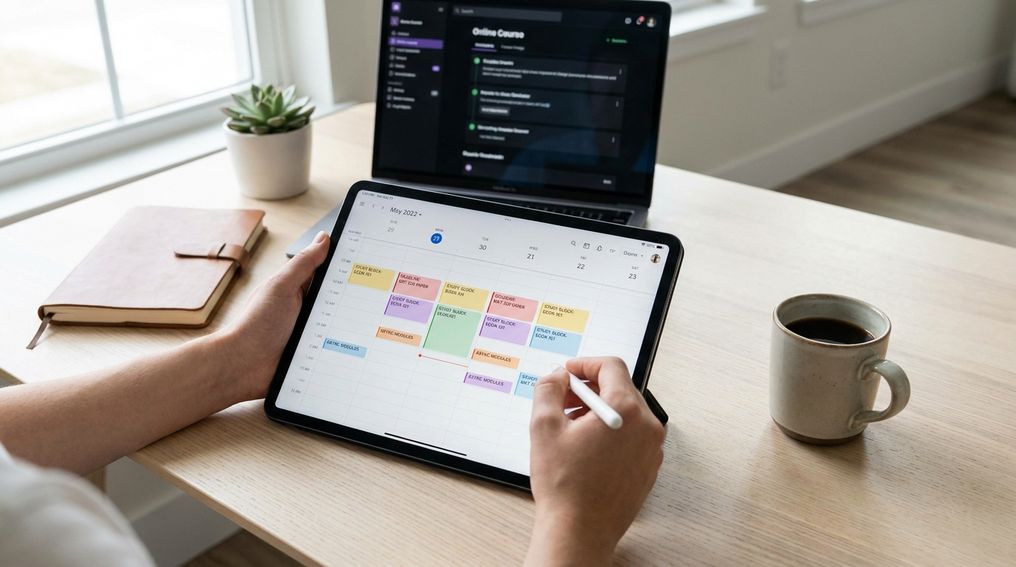
Tag: online learning

  • How to Ask Better Questions in Virtual Office Hours

    How to Ask Better Questions in Virtual Office Hours

    Better virtual office hours questions are specific: they show what you tried, identify the exact point where you got stuck, and ask for the next useful step. If you prepare your virtual office hours questions before you join, you’ll get clearer answers and spend less time sitting in awkward silence.

    You log into a video meeting, your professor asks, “What questions do you have?” and your mind goes blank. That freeze doesn’t mean you’re careless or unprepared. It usually means your confusion is still too broad to turn into a useful academic conversation.

    This guide shows you how to prepare before the meeting, ask sharper questions during the session, and follow up when the first answer still doesn’t click. You’ll also learn what to avoid, how to handle online meeting friction, and how instructors can make virtual office hours easier for students to use.

    Why Virtual Office Hours Feel Different

    Virtual office hours feel different because the usual classroom signals are harder to read. You can’t always tell when someone is about to speak, whether your professor is waiting for you, or whether another student has the same question. That makes a simple moment feel bigger than it is. The screen turns a normal pause into pressure.

    Silence also works differently online. In person, you might glance at your notebook, point to a worksheet, or ask a quick side question before the conversation starts. In a video meeting, you often enter a waiting room, appear in a square, and get asked for your question right away. If you haven’t prepared one, “I’m confused” becomes the only sentence available.

    The goal isn’t to sound polished. The goal is to make your question easy to answer. Professors and teaching assistants can help faster when you show the specific reading, problem, draft section, lecture slide, or assignment instruction that caused trouble. That turns office hours from a vague help session into a focused working conversation.

    Prepare Before You Join: A Pre-Meeting Checklist

    Strong questions usually start before the meeting. Spend a few minutes reviewing the assignment, lecture notes, readings, rubric, or problem set before you log in. Mark the exact place where your understanding breaks down. If you can point to one paragraph, step, sentence, theorem, prompt, or data result, you’re already closer to a better answer.

    Attempt the task before asking for help. That doesn’t mean you need to get it right. It means you need something to discuss: a draft paragraph, a solved step, a false start, a confusing source, or a short list of choices you’re weighing. When you bring an attempt, your professor can diagnose the issue instead of guessing where you are.

    Use this quick checklist before joining:

    • Write the assignment, topic, or reading you want to discuss.
    • Identify the exact spot where you got stuck.
    • Bring one attempt, note, draft section, or problem step.
    • Decide what kind of help you need: clarification, feedback, direction, or practice.
    • Prepare one follow-up question in case the first answer helps but doesn’t fully land.

    Turn “I’m Confused” Into A Specific Question

    “I’m confused” is honest, but it doesn’t give your instructor enough to work with. A better question names the topic, the attempt, and the part that isn’t making sense. You don’t need perfect academic language. You need a question that shows where the conversation should begin.

    Instead of saying, “I don’t understand the assignment,” say, “I understand that the paper needs an argument, but I’m not sure whether my thesis is specific enough.” Instead of saying, “I don’t get this problem,” say, “I used the formula from class, but my answer changes when I substitute this value.” That small shift gives your instructor a clear target.

    Helpful virtual office hours questions often use observable details. Point to a sentence, step, slide, graph, source, instruction, or comment. Share your screen if that helps. If you’re using chat, paste a short excerpt or describe the location so the instructor can find it quickly.

    A Simple Three-Part Question Formula For Office Hours

    Use this structure when you don’t know how to begin: name the task, explain what you tried, then ask what you need next. This keeps your question short without stripping away the details your instructor needs. It also helps you sound prepared, even when you’re genuinely stuck.

    Here’s the pattern: “I’m working on [task]. I tried [specific attempt]. I’m stuck at [specific point]. Could you help me figure out [next step]?” You can use it for essays, problem sets, lab work, coding assignments, readings, presentations, or exam review. It’s flexible enough for quick chat questions and longer one-on-one meetings.

    Try these sentence starters:

    • “I’m working on the discussion post, and I’m unsure whether this evidence supports my claim.”
    • “I tried solving this step two ways, but I keep getting different answers.”
    • “I understand the definition, but I’m having trouble applying it to this reading.”
    • “Could you look at this paragraph and tell me whether the main point is clear?”
    • “What should I review before attempting the next set of problems?”

    How To Ask Follow-Up Questions That Deepen Understanding

    A follow-up question is not a sign that you weren’t listening. It shows you’re checking your understanding in real time. If the first answer helps but still feels fuzzy, say exactly which part became clearer and which part still needs work. That helps your instructor adjust the explanation instead of repeating the same answer.

    Use follow-ups that ask for comparison, process, or next action. You can ask, “How can I tell when this method applies?” or “What clue in the prompt should point me toward that step?” You can also ask, “Could you walk through one more step with me, then let me try the next one?” These questions move you from receiving help to practicing with guidance.

    If you still don’t understand, avoid apologizing repeatedly. A simple, direct sentence works better: “I’m following the first part, but I lose the thread when we move to this step.” That gives your instructor useful information. It also keeps the conversation focused on learning rather than embarrassment.

    What Not To Ask In Virtual Office Hours

    Some questions make it hard for your professor to help because they are too broad, too last-minute, or too close to asking for the answer. “Can you explain everything?” is usually too wide for a short office hour visit. “What did I miss?” can also be hard to answer if you haven’t reviewed the material. Narrow the request before the meeting.

    Don’t ask your instructor to redo the full lecture, summarize an entire reading you skipped, or tell you exactly what grade you’ll get before work is submitted. You can ask for direction, clarification, feedback, and practice. You can ask whether your reasoning is on track. You can ask what to study next.

    Replace dead-end questions with useful versions:

    • Instead of “Can you explain the whole chapter?” ask, “Which part of this chapter should I focus on to understand the lecture problem?”
    • Instead of “Is this good?” ask, “Is my claim specific enough for the assignment prompt?”
    • Instead of “What’s going to be on the exam?” ask, “Which kinds of problems should I practice to prepare for this topic?”
    • Instead of “Can you fix my draft?” ask, “Could you review whether this paragraph connects evidence to the main claim?”

    Handling Silence, Tech Glitches, And Waiting Rooms

    Online meetings add small barriers that can make questions feel harder than they are. Your microphone may be muted, your professor may be checking the waiting room, or another student may be typing in chat. Don’t treat every pause as a failure. A short pause can give everyone time to think and respond more carefully.

    If you join late, keep it simple: “Sorry for joining late. I’ll listen first, then ask if there’s time.” If other students are present, ask whether it’s okay to share your question aloud or use chat. If your question includes personal grade concerns or sensitive academic planning, ask whether you should schedule a separate one-on-one meeting.

    Use meeting tools to reduce pressure. The chat box is useful for short questions, links, file names, page numbers, and problem steps. Screen sharing works well when you need help with a draft, code, slide, graph, or calculation. The hand-raise button can help you enter the conversation without interrupting, especially in group office hours.

    Better Virtual Office Hours Questions For Common Situations

    If you don’t have a specific question yet, ask for help finding one. You can say, “I reviewed my notes, and I know this topic is weak for me, but I’m not sure how to locate the problem. Could you help me identify what I should practice?” That is still a useful question because it gives the instructor a starting point.

    If you want feedback on a draft, ask about one feature at a time. Focus on the thesis, organization, use of evidence, clarity, citation practice, or alignment with the prompt. Broad requests like “Can you look this over?” often lead to general comments. Focused requests get sharper feedback.

    If you’re preparing for an assessment, ask about practice strategy instead of asking for the answers. You can ask, “What types of mistakes do students often make with this topic?” or “Which practice problems best match the skill we’re expected to use?” These virtual office hours questions help you study with direction rather than guessing what matters.

    For Instructors: Making Virtual Office Hours More Question-Friendly

    Students often avoid office hours because they don’t know what counts as a good question. You can lower that barrier by giving students question stems before they arrive. A few prompts in the course site, announcement, or meeting description can change the tone: “Bring one step you tried,” “Bring one confusing sentence,” or “Bring one decision you’re unsure about.”

    Wait time matters in online spaces. Research on classroom questioning has shown that a brief pause after a question can support longer, more thoughtful student responses. In virtual office hours, that pause may feel awkward, but it gives students time to unmute, check notes, type, or gather their words. Say, “Take a few seconds,” so silence feels intentional rather than tense.

    Offer multiple ways to participate. Some students ask better questions through chat before they feel ready to speak. Others need screen sharing, a shared document, or a quick agenda at the start of the meeting. When you invite students to show what they tried and where they got stuck, office hours become easier to use and easier to teach from.

    What Should You Ask During Virtual Office Hours?

    • Show one attempt and ask where it went wrong.
    • Ask for feedback on one draft section.
    • Ask what to practice next.
    • Ask about common mistakes on the current topic.

    Make The Meeting Easier Before You Log In

    Better questions don’t appear out of nowhere once the meeting starts. They come from reviewing the task, making an attempt, naming the exact point of confusion, and asking for a useful next step. If you’re nervous, write your first sentence before you join and keep it visible on your screen. If the answer doesn’t fully click, ask a follow-up that names the part you understand and the part that still feels unclear. With a little preparation, virtual office hours questions become less about sounding smart and more about getting the help you came for.


    References

  • How to Build a Weekly Routine for Asynchronous Courses

    How to Build a Weekly Routine for Asynchronous Courses

    An effective asynchronous course routine replaces missing class meetings with fixed weekly study blocks, early personal deadlines, and a short review ritual. You succeed by giving each course a predictable place in your calendar before the week gets crowded.

    Asynchronous courses give you freedom, but freedom can turn into Sunday-night panic when readings, videos, discussion posts, quizzes, and assignments all land at once. This guide shows you how to build a weekly study schedule for online classes that fits around work, family, and other commitments without relying on last-minute motivation. You’ll learn how to map your week, convert each syllabus into tasks, study actively, and adjust your plan before you fall behind.

    Why Asynchronous Courses Need A Different Kind Of Routine

    An asynchronous course usually lets you access materials and complete coursework on your own schedule within weekly or module-based deadlines. That flexibility is useful, especially if you work, commute, care for family, or study across time zones. It also removes the built-in structure that a live class gives you. No one is making you show up at 10 a.m. on Tuesday, so your calendar has to do that job.

    The main risk is not laziness. It’s invisible workload. A recorded lecture may look like a one-hour task, but the real work includes pausing, taking notes, checking the reading, posting in a discussion board, preparing an assignment, and reviewing feedback. If you don’t assign time to those pieces, they merge into one vague task called “do class,” which is easy to postpone.

    A strong asynchronous course routine gives your week a backbone. You don’t need a perfect schedule, and you don’t need to study every day at the same minute. You need repeatable blocks, a task list you trust, and a habit of checking the course before deadlines get close. Once that rhythm exists, the course feels less like a pile of alerts and more like a normal part of your week.

    Step 1: Map Your Fixed Study Blocks For The Week

    Start by treating study time like an appointment, not a leftover activity. Put your work hours, commute, meals, sleep, family duties, and non-negotiable commitments into your calendar first. Then add fixed study blocks for each asynchronous class. If a block is not on the calendar, it will probably compete with everything else that feels urgent.

    A common college planning guideline is to expect several hours of work each week for each course, with time varying by credit load, course level, and assignment type. For a typical three-credit course, many students should plan for roughly six to nine hours across the week, then adjust after seeing the real workload. That does not mean one huge block has to carry the full course. Shorter blocks often work better because they reduce fatigue and give your brain time to process material.

    Build your first version with two or three fixed sessions per course. One session can focus on intake, readings, lecture videos, and notes. Another can handle discussion posts, practice problems, or drafting. A third can be reserved for revision, submission, and review. If your week is crowded, protect smaller blocks with clear labels: “Biology reading,” “History discussion post,” or “Statistics problem set,” not a vague label like “school.”

    Step 2: Turn Each Course Syllabus Into A Concrete Weekly Task List

    Your syllabus is not just a document to read once at the start of the term. It is the raw material for your weekly task list. Open the syllabus, learning management system, course calendar, and announcement area, then write down every recurring task. Include readings, lecture videos, quizzes, discussion posts, replies, labs, papers, exams, group work, and office hour options.

    Break large assignments into visible pieces. “Write essay” is too broad for a busy week. A better task list says: review prompt, choose topic, collect sources, outline, draft, revise, proofread, submit. The same rule applies to recorded lectures. “Watch module” becomes: watch part one, take notes, pause for practice questions, summarize main ideas, post one question for clarification.

    Once the tasks are visible, assign them to your study blocks. Put heavier thinking work into your stronger hours when possible. If mornings are better for concentration, use them for readings, writing, math, coding, or problem-solving. Use lower-energy times for organizing notes, checking announcements, formatting submissions, or reviewing instructor feedback. Your asynchronous course routine should match your real energy, not an ideal version of your day.

    Step 3: Schedule Active Learning, Not Just Watching Videos

    Watching lectures is only the intake stage. It can feel productive because the course content is moving, but understanding often stays shallow until you retrieve, explain, apply, or test the material. Active learning means you do something with the content after you receive it. That can include writing a short summary, answering practice questions, solving problems without notes, teaching the concept aloud, or comparing two ideas from the module.

    Build active learning into the same block as the lecture whenever possible. After a twenty-minute video segment, pause and write three bullet points from memory. After a reading, close the page and explain the main claim, method, or process in your own words. After a problem demonstration, solve a similar problem before moving on. These actions make gaps visible early, when you still have time to fix them.

    For courses with discussion boards, don’t treat posts as separate busywork. Use them as a study tool. Draft your first post from your notes, then use replies to test whether you can connect your idea to another student’s argument, a reading, or a course concept. If your course includes quizzes, treat each quiz as feedback about what to review, not just a grade event.

    Step 4: Set Personal Deadlines Before Official Due Dates

    Official deadlines are the last safe moment, not the best planning target. Set your personal deadline one or two days early for major assignments, discussion posts, quizzes, and projects. That buffer protects you from tech problems, surprise work shifts, family interruptions, unclear instructions, and the simple fact that some assignments take longer than expected.

    This is especially helpful when several asynchronous courses use the same weekly deadline. Many online classes organize modules around a repeated due day, often near the end of the week. If you wait until that day, every course feels urgent at once. Move your own due dates earlier so the week has stages: intake early, drafting or practice midweek, submission before the official deadline.

    Use two calendar layers if that helps. Keep the official deadline in one color and your personal deadline in another. The official date tells you the rule. Your personal date tells you the plan. When the personal deadline arrives, submit finished work when you can, or use the extra time for final checks instead of first attempts.

    Step 5: Add One Accountability Anchor Each Week

    Asynchronous learning can feel isolating because no live meeting forces contact with the instructor or classmates. Add one accountability anchor each week so the course does not exist only inside your own head. This can be a calendar reminder, a study partner check-in, an instructor question, a tutoring appointment, a discussion post goal, or a weekly progress message to someone who supports your education.

    The anchor should be simple enough to repeat. A ten-minute Friday check-in with a classmate can work better than an ambitious study group that collapses after two meetings. If you don’t know anyone in the course, use the course tools already available: discussion boards, instructor messages, office hours, tutoring centers, or academic coaching services. The goal is to create a point of contact that nudges you to stay engaged.

    Accountability also helps you catch confusion sooner. If you spend two study blocks stuck on the same concept, don’t wait until the deadline. Send a focused question: name the assignment, describe what you understand, and state exactly where you’re stuck. Instructors can respond more usefully when your question shows the work you’ve already done.

    Step 6: Review And Adjust Your Routine Every Sunday

    End each week with a short review. Fifteen minutes is enough. Open your calendar, course modules, gradebook, announcement page, and task list. Check what you completed, what rolled over, what took longer than expected, and what needs attention in the coming week.

    Use the review to adjust, not criticize yourself. If your Monday night study block failed three weeks in a row, the block is probably poorly placed. Move it. If readings always take twice as long as expected, split them across two sessions. If discussion replies keep slipping, schedule them right after your first post instead of leaving them as a separate task.

    This weekly reset is what keeps falling behind from snowballing. One missed video or late reading is manageable when you catch it quickly. Three missed modules become harder to repair. A steady Sunday review helps you see the next week before it starts, which gives your asynchronous course routine room to adapt.

    Common Mistakes That Break An Asynchronous Routine

    The first mistake is waiting for “free time.” Free time rarely appears in a clean, usable block. If you study only after every other demand has been handled, your course gets the weakest part of your day. Put study blocks on the calendar before the week fills up, then defend them the same way you would defend a work shift or appointment.

    The second mistake is confusing access with progress. Logging into the course, opening a module, or playing a lecture is not the same as learning. You need a visible output from each session: notes, solved problems, a summary, a draft, flashcards, a submitted quiz, or a question for the instructor. If a study block ends with no output, decide what will change in the next one.

    The third mistake is using too many tools. A digital calendar, one task list, and the learning management system are often enough. Adding several apps can create more maintenance than clarity. Choose tools you will actually check, then keep the system boring. Boring systems work because they reduce decisions.

    Simple Tools And Templates To Keep Your Routine Running

    Your tools should answer three questions: what is due, when will you work, and what is the next action. A digital calendar is best for time blocks and reminders. A task manager, notes app, spreadsheet, or paper planner can hold the weekly task list. Your learning management system remains the source for official instructions, announcements, grades, and submission links.

    A simple weekly template can keep everything in one place. Create sections for each course, then list deadlines, readings, videos, assignments, questions, and study blocks. Add a small “status” label beside each task: not started, working, waiting, done. This gives you a quick view of the week without reopening every course page multiple times a day.

    If you prefer a paper system, print one weekly planner and keep it near your study space. If you prefer digital tools, use calendar reminders for start times and personal deadlines. Don’t let the tool become the project. The tool exists to keep your online course time management visible, so you can spend more energy learning and less energy remembering.

    What A Good Weekly Schedule Looks Like

    A good schedule spreads the work across the week and separates intake, practice, production, and review. For one asynchronous course, Monday can be the course check-in and planning day. Tuesday or Wednesday can handle readings, lecture videos, and notes. Thursday can focus on discussion posts, problem sets, drafts, or practice. Friday or Saturday can be reserved for revisions, submissions, and a quick review.

    If you take multiple asynchronous courses, avoid stacking every course into the same type of block. Don’t watch three lectures back-to-back and call the day done. Mix the work so your brain changes gears: read for one course, solve problems for another, then revise an assignment for a third. This makes the week less monotonous and gives every course a regular touchpoint.

    Students with work or family duties can build the same rhythm with smaller sessions. A lunch break can handle announcement checks or discussion replies. A quiet evening block can handle drafting. A weekend morning can handle deeper reading or exam review. The format matters less than the repeatable pattern: check, learn, practice, produce, submit, review.

    Weekly Routine For An Asynchronous Online Course

    • Check deadlines every Monday
    • Block 2–3 study sessions per course
    • Set due dates 1–2 days early
    • Review for 15 minutes weekly

    Build A Routine You Can Actually Repeat

    A successful asynchronous course routine is not a packed calendar or a color-coded plan that falls apart after one busy week. It is a repeatable rhythm that tells you when to check the course, when to learn the material, when to produce work, and when to review your progress. Start with fixed study blocks, turn the syllabus into concrete tasks, add active learning, and set personal deadlines before the official ones. Then review the plan weekly and adjust it based on real evidence from your own schedule. Once your course has a reliable place in your week, flexibility becomes an advantage instead of a trap.


    References

  • Top 5 Educational Platforms Changing How Students Learn

    Top 5 Educational Platforms Changing How Students Learn

    Digital learning platforms now shape how students study, practice, submit work, build skills, and measure progress. The strongest platforms do more than host content. They guide learning, reduce friction, support teachers, and help you move from exposure to actual mastery.

    If you want to understand where student learning is heading, these five platforms show the clearest direction. They reveal how free academic support, career-focused online learning, gamified daily practice, classroom workflow tools, and study reinforcement systems are changing what students do every day and how schools support that work.

    1. Khan Academy

    Khan Academy remains one of the most important names in digital education because it solves a basic student problem better than almost anyone else: you need clear instruction, you need practice, and you need a path that helps you improve without getting lost. That simple value has kept the platform relevant across grade levels, subject areas, and learning environments. When students fall behind, need review, or want to move faster, Khan Academy gives them a structured place to work.

    What makes the platform stand out is the combination of free access and academic depth. You are not stepping into a random video library. You are entering a system built around lessons, guided practice, skill progression, mastery tracking, and feedback loops. That matters because students do not improve from content exposure alone. They improve when a platform helps them understand what to do, what to review, and what to practice again.

    Khan Academy has also strengthened its role through artificial intelligence support with Khanmigo. That expands the platform from a traditional learning site into a more interactive tutoring and support environment. If you are looking at the future of education, this is one of the clearest signals: students increasingly expect explanation, guided hints, writing help, and personalized support inside the same product instead of switching across multiple tools.

    The scale behind Khan Academy also reinforces its influence. The platform reports a massive global user base, extensive learner activity, and billions of minutes spent learning. Those numbers matter because they show repeat use, not passing interest. In education, behavior matters more than buzz. Students return to Khan Academy because it fits real academic needs, especially in mathematics, science, test preparation, and foundational review.

    Another reason Khan Academy ranks at the top is trust. Teachers use it for reinforcement, parents use it for support at home, and students use it when classroom instruction moves too fast or not fast enough. That broad usefulness gives the platform unusual staying power. You can use it for remediation, independent learning, homework support, extra challenge work, and self-paced review without paying for access.

    If your goal is to identify the platform changing how students learn at scale, Khan Academy deserves the lead position. It proves that free learning can still be structured, measurable, and effective. It also shows that artificial intelligence in education works best when it supports real teaching and real study habits rather than distracting from them.

    2. Coursera

    Coursera changes student learning in a different way. It does not focus mainly on school-age remediation or classwork support. It shifts learning toward career readiness, job skills, flexible credentials, and university-level content that students can access without entering a conventional degree path right away. That makes it one of the strongest platforms for students who are thinking beyond the classroom and asking what learning will help them build marketable capability.

    When you use Coursera, you are not just browsing lessons. You are entering a system built around courses, guided projects, professional certificates, specializations, and degree pathways. That layered structure matters because it gives students options. You can begin with a short course, build credibility with a certificate, and move into deeper programs when the subject proves useful. That reduces risk and makes learning feel more connected to outcomes.

    The platform’s partnerships with universities and industry organizations strengthen its position. Students often struggle to judge whether an online course will carry real weight. Coursera addresses that concern by tying its catalog to recognized institutions and employer-facing skills. That does not make every course equal, though it does make the platform more credible for learners who want something stronger than casual self-study.

    Coursera also reflects a major shift in student behavior: learning is no longer confined to a school timetable. Students now stack learning across different needs. They may use one platform for class assignments, another for test prep, and another for job-relevant skills. Coursera fits that pattern well because it gives you a way to build knowledge outside your school schedule and outside your major if needed.

    Another reason Coursera belongs in this top five list is breadth. It supports learners who want to explore technology, business, data analysis, project management, health topics, personal development, and many other categories. That wide catalog turns the platform into more than a course provider. It becomes a bridge between academic learning and professional direction.

    If Khan Academy is strongest for academic mastery and support, Coursera is strongest for mobility. It helps you translate learning into credentials, clearer career direction, and practical next steps. That is a major reason it is changing how students learn: education is no longer only about passing a class. It is also about building skills that travel with you.

    3. Google Classroom

    Google Classroom often gets described as a classroom management tool, though that label undersells what it has become. In practice, it is one of the main operating systems for school-based learning. It organizes assignments, communication, grading, feedback, deadlines, file sharing, and teacher-student interaction in one place. When a platform becomes the place where daily schoolwork actually happens, it changes learning behavior whether students notice it or not.

    The platform’s biggest strength is workflow control. Students no longer need to chase paper handouts, email attachments, or scattered instructions across separate systems. You can log in, see what is due, open resources, submit work, review feedback, and track progress from a single dashboard. That level of organization reduces friction, and reduced friction often determines whether work gets done on time and with less confusion.

    Google Classroom also matters because it supports teacher efficiency. When teachers can assign work faster, comment faster, organize class materials better, and identify missing submissions quickly, students experience a more consistent learning environment. That consistency has value. It creates predictable routines, shortens confusion around expectations, and gives students clearer visibility into what matters each day.

    The platform’s role is expanding with stronger teaching tools, analytics, originality checking, and artificial intelligence support tied to Google for Education products. That signals a broader trend in education technology. Classroom platforms are no longer static submission portals. They are becoming active coordination hubs where lesson design, feedback, student support, and digital resources connect more tightly.

    There are limits, and smart educators recognize them. A well-organized platform does not guarantee deep learning. If students simply click through tasks without reflection or real engagement, efficiency becomes the main achievement. That is why Google Classroom works best when teachers pair it with strong instruction, clear learning goals, and purposeful assignments rather than using it as a digital filing cabinet.

    Still, its impact is hard to overstate. Google Classroom has changed how students learn by turning schoolwork into a structured digital flow. That affects time management, accountability, communication, and study habits every day. When you look at how modern schools operate, this platform is one of the clearest examples of technology shaping the rhythm of learning itself.

    4. Duolingo

    Duolingo has changed student learning by proving that habit formation matters as much as content design. Many educational tools struggle to keep students coming back. Duolingo built an experience that encourages repetition, short sessions, visible progress, and daily use. That formula has made it one of the most recognized education platforms in the world and one of the strongest examples of mobile-first learning done well.

    The platform is best known for language learning, though its influence reaches further than vocabulary drills. It changed expectations around what digital education should feel like. Students now expect quick feedback, short lessons, progress indicators, streaks, and an interface that makes study feel manageable even during busy days. That behavioral change is a major contribution to education technology.

    What Duolingo does particularly well is lower the barrier to starting. You do not need a detailed study plan, a long block of time, or prior experience with the subject to begin. That matters because one of the biggest problems in learning is not lack of interest. It is inconsistency. Duolingo reduces the startup cost of studying, which helps students build momentum and maintain contact with a subject over time.

    The platform also shows how personalization can work in lightweight ways. Instead of overwhelming learners with a complex academic structure, it keeps progression clear and interactions simple. Lessons adapt to your pace, encourage review, and reward return behavior. That creates a steady practice loop, which is especially valuable for skill areas that improve through frequency rather than occasional cram sessions.

    Its narrower academic scope is worth noting. Duolingo is not a full curriculum platform in the way Khan Academy can be, and it is not a career credential platform in the way Coursera is. Its power comes from consistency, motivation design, and accessibility. For students who need to build language skills or maintain daily learning habits, those strengths are significant.

    Duolingo belongs in this list because it changed student expectations. Learning on a phone is no longer a side activity. It is a legitimate part of daily education. When a platform makes short, repeatable study sessions feel normal and sustainable, it changes how students fit learning into real life.

    5. Quizlet

    Quizlet earns its place in this top five because it addresses a part of learning that students never stop needing: recall, review, repetition, and fast reinforcement. No matter how advanced education technology becomes, students still need to remember terms, concepts, formulas, definitions, and facts. Quizlet turned that need into a simple, repeatable digital habit that fits classwork, test preparation, and independent study.

    The platform works because it respects student time. You can create a study set quickly, search for existing materials, review with flashcards, test yourself, and work through practice modes without much setup. That speed matters more than many educators admit. Students do not always need a long instructional environment. Sometimes they need a fast tool that helps them lock in key material before a quiz, an exam, or a class discussion.

    Quizlet also reflects a broader pattern in student learning: learners now build their own support stack. A student might use Google Classroom to find the assignment, Khan Academy to understand the topic, and Quizlet to memorize the important vocabulary. That stack-based behavior is one of the biggest shifts in education. Learning is no longer tied to one institution-controlled system. Students move across tools based on immediate need.

    The platform’s popularity among students, especially in the United States school market, shows how deeply it is embedded in study culture. When a platform becomes the default answer to “How do you review this fast?” it shapes learning behavior at scale. Quizlet has achieved that status in many classrooms and households. Its influence goes far beyond flashcards because it has normalized digital review as a core part of studying.

    There are legitimate concerns around quality control and academic integrity when user-generated study materials spread widely. Shared sets may contain errors, weak phrasing, or materials schools would prefer students not circulate. That makes guided use important. Still, those concerns do not erase the platform’s value. They simply reinforce the need for students and teachers to use it with intention and verification.

    Quizlet changes how students learn by making review faster, more portable, and easier to repeat. That may sound modest compared with grand claims around artificial intelligence or credential innovation, though daily study behavior is where many academic gains actually happen. A platform that improves repetition and retention still matters a great deal.

    Why These Platforms Matter More Than Ever

    These five platforms matter because they represent the main functions students now expect from digital learning. You need explanation, practice, credential building, classroom organization, and review support. No single platform dominates every category, and that is exactly the point. Modern learning is distributed. Students succeed by combining tools that match their specific academic and professional needs.

    This shift changes how schools, teachers, and families should evaluate education technology. The best platform is not always the one with the most features. It is the one that solves a real learning problem with clarity and consistency. If a platform saves time, reduces confusion, increases practice frequency, and supports better feedback, it has real educational value.

    Another major takeaway is that scale alone does not tell the full story. Plenty of tools attract users. Far fewer become part of a student’s daily routine. The platforms in this list have moved past novelty because they support habits students actually keep. That is why they continue to influence learning patterns across age groups and subjects.

    You can also see a clear trend across all five: education platforms are becoming more personalized, more integrated, and more outcome-focused. Students expect support inside the product, not outside it. They expect progress tracking, easier navigation, mobile access, and a smoother path from question to answer. Platforms that deliver those benefits will keep shaping the future of learning.

    How To Choose The Right Platform For Your Learning Goals

    If you are choosing one of these platforms for personal use, start with the outcome, not the brand. Khan Academy works best when you need structured academic instruction and skill-building. Coursera fits best when you want job-relevant learning, certificates, or university-backed online study. Google Classroom is strongest when your school already uses it as the core workflow hub. Duolingo is ideal for daily language practice, and Quizlet serves fast review and memorization.

    You should also evaluate how you actually study. If you need longer guided learning sessions, choose a platform built around progression and explanation. If you learn best through quick repetition, a shorter-format tool may serve you better. Many students fail with good platforms because they pick tools that do not match their attention patterns, deadlines, or immediate academic pressure.

    Cost, accessibility, teacher support, and mobile usability should also factor into your decision. Free access remains a major advantage for Khan Academy, while institutional access shapes the value of Google Classroom. Coursera offers stronger upside when you are targeting skill development with external value. Duolingo and Quizlet work well when convenience and consistency matter more than formal structure.

    The smartest move is often to build a focused combination rather than forcing one tool to do every job. Use one platform to learn, one to organize, and one to reinforce. That model matches how strong students already operate. It also helps you avoid overload because each platform serves a defined purpose instead of becoming a cluttered all-purpose solution.

    Which Educational Platform Is Best For Students?

    • Khan Academy is best for free academic learning and skill mastery.
    • Coursera is best for career skills and certificates.
    • Google Classroom is best for school assignment management.
    • Duolingo is best for daily language practice.
    • Quizlet is best for fast review and memorization.

    Choose The Platforms That Match How You Learn

    The best educational platforms are changing student learning by making education more flexible, more personalized, and easier to access across devices and schedules. Khan Academy leads with free mastery-based learning, Coursera connects education to career growth, Google Classroom organizes daily schoolwork, Duolingo builds strong study habits through repetition, and Quizlet strengthens review and recall. If you want better results, do not chase every new tool. Select the platforms that solve your real learning needs, use them consistently, and measure whether they improve your understanding, retention, and progress. Students who build the right digital learning stack do more than save time. They study with more clarity, more control, and better outcomes.