Tag: Suneet Singal

  • How to Build an AI-Assisted Study Routine

    How to Build an AI-Assisted Study Routine

    You can build an AI-assisted study routine by combining artificial intelligence tools with structured planning, recall techniques, and adaptive feedback to accelerate your learning results.

    This guide shows you how to design an AI-driven study cycle that improves consistency, reduces wasted effort, and strengthens knowledge retention. You’ll see how to integrate AI tools into your daily routine, avoid common mistakes, and measure meaningful progress.

    What does an AI-assisted study routine actually mean?

    An AI-assisted study routine is a disciplined learning system where technology supports every stage of your study process. You use AI to break down readings into manageable sections, create automated quizzes, and track your performance. Instead of repeating passive methods like rereading notes, you move toward active engagement with material tailored to your pace.

    The real strength comes from efficiency. AI allows you to spend less time formatting content and more time mastering it. For instance, instead of writing flashcards manually, you can upload lecture slides and let AI create them instantly. That time saved compounds over weeks, giving you more opportunities to refine understanding.

    Why should you build one?

    You should build an AI-assisted routine because it ensures that your learning time directly translates into progress. Traditional approaches often lead to hours spent with little measurable improvement. AI tools cut out the busy work, letting you focus on comprehension and retention.

    Academic research from leading universities already shows how AI tutoring systems accelerate time-to-mastery by targeting weak areas. When you consistently follow a structured AI-enhanced plan, you reduce the friction that comes with organizing material. The outcome is sharper focus, greater motivation, and faster results.

    What core elements should be part of your AI routine?

    A strong AI-assisted study routine rests on several pillars. The first is planning, where you define what you want to achieve each day. You then use AI for content processing, uploading readings or lecture recordings so the system can highlight key points. Summarization follows, where AI condenses large sections into focused takeaways.

    The next steps are active recall and feedback. AI-generated flashcards and quizzes reinforce memory, while automated assessments highlight weak spots. Finally, reflection closes the cycle, where you use AI-driven analytics to track your consistency and progress over time. With these pillars in place, your study process shifts from random review sessions to a predictable performance system.

    Which AI tools actually help students?

    Not every tool contributes equally, so you need to select those that align with your goals. Platforms like Mindgrasp allow you to turn lectures or readings into summaries and practice questions. QANDA is highly effective for math and science, providing step-by-step explanations. NotebookLM helps organize multiple sources into one knowledge base, letting you query them like an interactive textbook.

    More general tools such as ChatGPT, Claude, or Perplexity assist in generating explanations, practice prompts, or alternative perspectives on complex topics. You don’t need to use every tool at once. The best approach is to adopt two or three consistently so you develop a rhythm without overwhelming yourself.

    How to design your daily AI study flow

    The design of your routine determines how effective the tools will be. You might begin each morning by asking AI to generate a daily plan based on your goals. Once you set your priorities, upload your material for summarization. This gives you a clear set of key points to focus on before diving deeper.

    Later in the day, you can test comprehension with AI-generated flashcards or quizzes. This immediate reinforcement prevents knowledge gaps from growing. Toward the evening, reviewing your AI dashboard lets you reflect on performance, note areas of weakness, and adjust tomorrow’s plan. Over time, this daily rhythm builds consistency, which is the key to mastering complex material.

    How do you measure success?

    An AI-assisted routine makes measurement straightforward, but you must focus on metrics that reflect real learning. Improved quiz accuracy is one marker, but so is the reduction of time spent organizing notes. AI also makes it easier to see patterns in your errors, guiding you toward targeted adjustments.

    Weekly progress logs are valuable because they allow you to evaluate both consistency and improvement. When you track study sessions over a month, you’ll see whether your efforts are compounding into mastery. This data-driven reflection ensures you aren’t just using AI for convenience, but for measurable growth.

    What mistakes should you avoid?

    One common mistake is relying on AI as a replacement for your own critical thinking. If you copy summaries or explanations without reviewing them, your understanding remains shallow. AI should supplement your work, not replace the effort.

    Another pitfall is scattering your focus across too many platforms. Switching between multiple tools often leads to confusion and wasted time. Instead, commit to a small set of AI resources that complement your style. By building consistency and treating AI as a partner rather than a shortcut, you avoid the traps that cause many students to fall behind.

    How is this trend evolving?

    AI in education is moving rapidly toward full personalization. Systems are already being tested that adapt your daily schedule based on your performance, energy, and exam timelines. This evolution means you’ll eventually interact with AI not just as a tool, but as an adaptive learning environment.

    The advantage of starting now is that you’ll be ahead of the curve. By building habits around AI integration today, you prepare yourself for the deeper personalization features that will soon be standard in digital education. Your study routine will evolve alongside these systems, positioning you for long-term mastery.

    What is an AI-assisted study routine?

    • Uses AI to plan and summarize.
    • Builds recall with quizzes.
    • Tracks performance and adapts.
    • Saves time and improves retention.

    Elevate Your Learning with AI

    Creating an AI-assisted study routine puts you in control of your academic performance. By blending structure with technology, you cut wasted effort, reinforce recall, and measure real progress. Commit to daily use, avoid overcomplicating your setup, and let AI streamline your learning. Over time, the consistency you build will give you a clear advantage over traditional study methods.

  • Top 5 Educational Technology Platforms for Students

    Top 5 Educational Technology Platforms for Students

    The top educational technology platforms for students are Khanmigo, ChatGPT Study Mode, QANDA, GeoGebra, and SchoolAI—tools designed to personalize, simplify, and enrich your learning experience.

    You’re studying in an era where technology directly shapes how you learn, practice, and grow. This article highlights the five most effective educational technology platforms available today, explaining how each platform works, why it matters, and how you can use it to improve your academic performance.

    1. Khan Academy’s Khanmigo

    Khanmigo is Khan Academy’s AI-powered tutor designed to act as a digital teaching assistant. It provides personalized explanations, prompts critical thinking, and gives you feedback tailored to your progress. Teachers also use it for lesson planning and student tracking, making it a dual-purpose platform.

    As a student, you benefit from individualized attention that scales with your needs. If you struggle with algebra, Khanmigo adapts, offering guided steps instead of overwhelming you with final answers. It helps you master material progressively—keeping your learning focused.

    The real strength of Khanmigo lies in its integration with classroom systems. Teachers gain data that allows them to focus their attention on areas where you and your peers need the most support, while you get a steady stream of personalized tutoring available anytime.

    2. ChatGPT Study Mode

    ChatGPT’s Study Mode is a new feature that reshapes how you use AI for academics. Unlike standard AI outputs, Study Mode adds friction: instead of handing you complete answers, it asks you guiding questions that push you to think critically.

    This keeps your study sessions productive. Rather than copying solutions, you practice explaining concepts, testing understanding, and working through problems with AI as a coach. By simulating the Socratic method, Study Mode strengthens long-term retention of material.

    Students increasingly report that Study Mode feels like working with a human tutor. You’re challenged to articulate reasoning, which builds confidence and prepares you for exams where quick recall and applied knowledge are key.

    3. QANDA for Math Problem Solving

    QANDA (short for “Q and A”) is a mobile-first math solution platform. Using OCR, it scans any math problem you upload and generates a step-by-step explanation. Beyond answers, it builds personalized study materials based on your learning habits.

    You get more than shortcuts—you learn the process. By breaking down problems into smaller, logical steps, QANDA reinforces your ability to solve similar questions later. With over 90 million global users and MathGPT powering solutions, its accuracy and scale are unmatched.

    As you progress, QANDA tracks your weaknesses and assigns targeted exercises. This builds strength in areas you may avoid otherwise. Whether you’re tackling geometry, calculus, or statistics, the platform equips you with practical solutions and adaptive reinforcement.

    4. GeoGebra for Interactive Math and Science

    GeoGebra is a powerful platform for interactive mathematics and science. It allows you to construct geometric figures, visualize algebraic functions, and simulate calculus problems in real time.

    You benefit from learning concepts visually. Abstract formulas become more intuitive when you can manipulate variables and see graphs change instantly. That interactive approach reinforces comprehension in ways static textbooks cannot achieve.

    GeoGebra’s global community contributes thousands of shared applets—interactive lessons and models you can use for free. Teachers and peers across the world share simulations, giving you access to resources that expand your understanding of advanced topics, from trigonometry to differential equations.

    5. SchoolAI and Emerging EdTech Tools

    SchoolAI is one of the fastest-growing platforms for integrating artificial intelligence into education. It enables teachers to design lessons powered by AI, while giving you tools like interactive simulations, guided reading support, and personalized assignments.

    You learn in more engaging ways—whether through AI-assisted reading comprehension, interactive games built on Deck.Toys, or creative projects produced in tools like WeVideo. Platforms like NotebookLM and Read&Write further increase accessibility by supporting note structuring and inclusive learning for students with different needs.

    The collective strength of these emerging platforms is adaptability. You’re no longer limited to one-size-fits-all education. Instead, you access tools designed to adjust content and delivery to match your learning style, pace, and preferences.

    Why Students Should Use Multiple Platforms

    Each platform fills a specific role. Khanmigo gives you structured tutoring, ChatGPT Study Mode builds deeper thinking, QANDA sharpens math problem-solving, GeoGebra clarifies abstract concepts, and SchoolAI opens interactive learning opportunities.

    Using them together ensures balanced development. You combine personalized feedback with interactive practice, adaptive reinforcement, and global collaboration. This mix prepares you not only for exams but also for real-world problem solving.

    What are the top educational technology platforms for students?

    • Khanmigo for AI tutoring
    • ChatGPT Study Mode for guided learning
    • QANDA for math solutions
    • GeoGebra for interactive visualization
    • SchoolAI for adaptive, creative lessons

    In Conclusion

    Educational technology platforms now give you access to structured tutoring, interactive simulations, math-focused solutions, and adaptive learning tools—all on demand. By embracing platforms like Khanmigo, ChatGPT Study Mode, QANDA, GeoGebra, and SchoolAI, you take control of your learning journey, accelerate mastery, and prepare yourself for academic and professional success.

  • Exploring Explo’s Embedded Analytics for Market-Smart Real Estate Teams

    Exploring Explo’s Embedded Analytics for Market-Smart Real Estate Teams

    You can use Explo’s embedded analytics to place powerful, real-time insights directly into your real estate systems, enabling faster, market-smart decisions without relying on external BI tools.

    This article explains what Explo is, how embedded analytics helps real estate teams, what features to prioritize, and how to implement it effectively. You’ll also see the benefits, common challenges, and measurable ROI from integrating analytics directly into your workflows.

    What is Explo’s embedded analytics and how does it work?

    Explo’s embedded analytics is a solution that lets you bring dashboards, visualizations, and decision tools directly inside the applications your team already uses. Instead of switching to standalone BI platforms, your analysts, agents, and executives access insights within the same system where they manage properties, deals, or tenants.

    The platform works through APIs and embedding frameworks. You integrate Explo dashboards into your property management system, CRM, or investor reporting portal. The result is a native-looking analytics environment where stakeholders can filter data, run comparisons, and see trends without leaving their workflow.

    For real estate teams, this means property performance metrics, rent roll analytics, vacancy trends, and market comparisons can all be embedded directly into the tools your team already trusts. It keeps decision-making immediate, consistent, and far more efficient.

    Why should real estate teams adopt embedded analytics?

    The core value of embedded analytics is speed. When insights live inside your systems, you act on them faster. You no longer wait for static reports or toggle across platforms. Everything you need to decide on a property acquisition, lease negotiation, or tenant renewal is in front of you.

    Adoption rates also increase. Most employees resist standalone BI tools because they’re complex or unfamiliar. Embedding analytics removes that barrier. It delivers data directly into the applications your team already uses daily. Adoption happens naturally because it doesn’t feel like an extra step.

    Finally, embedded analytics supports differentiation. In a competitive industry where every firm calls itself “data-driven,” actually putting analytics in the workflow makes the claim credible. It’s a tangible way to show clients, partners, and investors that your firm acts on data, not just talks about it.

    What features should you prioritize in Explo for real estate applications?

    When you evaluate Explo or any embedded analytics platform, focus on the capabilities that will impact your business decisions.

    First, dashboards must be customizable. Your team should filter data by property type, location, square footage, or rental cycle. Off-the-shelf dashboards won’t cut it—you need flexibility to reflect your portfolio’s complexity.

    Second, demand real-time or near real-time updates. Real estate decisions depend on accurate market shifts, and stale data can cost opportunities. Ensure the system refreshes as new transactions, rent collections, or maintenance updates occur.

    Third, integration must feel seamless. Users shouldn’t notice that analytics come from a third-party provider. With Explo, you can style and theme dashboards to blend into your CRM or investor portal for a native experience.

    Finally, security and governance are critical. A broker in New York shouldn’t see private data from California. Ensure permissioning is role-based and aligned with your internal governance rules.

    How do real estate teams use embedded analytics today?

    Real estate teams leverage embedded analytics in several impactful ways.

    Acquisitions teams embed comparables, price-per-square-foot data, yield forecasts, and absorption rates directly into their underwriting tools. This makes deal evaluation faster and more consistent.

    Property managers use embedded dashboards to monitor occupancy, rental income, maintenance costs, and tenant satisfaction. Instead of waiting for end-of-month summaries, they see shifts in real time and can respond immediately.

    Executives use analytics to review market trends, cash flow projections, and leasing velocity in one integrated system. That eliminates the lag of waiting for analysts to prepare reports and accelerates decision cycles.

    By embedding analytics into workflows, your team cuts lag time and acts on insights exactly when they matter most.

    What are the key steps to implementing Explo embedded analytics?

    Successful implementation begins with a clean data foundation. Before embedding dashboards, review your data pipeline. Ensure lease terms, rent rolls, transaction history, and property details are accurate and consistent.

    Next, collaborate with stakeholders to define the most valuable KPIs. For acquisitions, this may include comparables and yield metrics. For operations, occupancy and maintenance costs are critical. Identify what each team truly needs to see.

    After that, integrate Explo dashboards into your systems. Use its SDKs and APIs to embed visuals into your portals and platforms. Customize the styling to ensure the analytics environment looks and feels like your own software.

    Finally, roll out incrementally. Start with one use case—such as investor reporting or property performance dashboards. Collect feedback, improve functionality, then expand to other areas of the business.

    What challenges do you need to prepare for?

    Embedded analytics is powerful, but it comes with trade-offs you need to anticipate.

    One common challenge is data latency. If your dashboards show stale or inconsistent values, users will lose trust. To solve this, invest in reliable data refresh pipelines and monitoring systems.

    Another hurdle is user experience. If dashboards load slowly or don’t match your platform’s design, adoption suffers. Prioritize a consistent interface and fast-loading dashboards to build trust.

    Finally, consider access control. Real estate organizations often span multiple teams, regions, and roles. Without strong permissioning, sensitive data might reach unintended audiences. Role-based governance should be part of your implementation plan.

    What ROI can you expect from embedding Explo analytics?

    The return comes in both speed and cost savings. By eliminating manual reporting, you save hours of staff time per week. Instead of exporting, formatting, and distributing spreadsheets, your team sees live dashboards updated automatically.

    Decision-making also accelerates. When your acquisitions team sees market shifts in real time, they can act on deals faster. In property management, quick responses to occupancy changes reduce vacancies and preserve revenue.

    Alignment is another measurable benefit. By embedding analytics, every stakeholder works from the same data source. That reduces debate over metrics and creates stronger internal cohesion across acquisitions, operations, and finance.

    Over time, these advantages compound. Embedding analytics into your systems doesn’t just make decisions faster—it builds a long-term competitive advantage that sets your team apart.

    Why should real estate teams use Explo embedded analytics?

    • Delivers real-time property and market insights
    • Improves adoption by embedding into workflows
    • Reduces manual reporting overhead
    • Speeds up decisions with consistent metrics

    Make Embedded Analytics Part of Your Real Estate Advantage

    Explo’s embedded analytics allows you to move beyond static reports and place insights directly into your real estate systems. By focusing on clean data, clear KPIs, thoughtful integration, and adoption-driven rollout, you ensure analytics become part of how your team operates daily. Over time, this integration accelerates decisions, saves costs, and strengthens alignment across your organization. It’s not just a technical tool—it’s a cultural shift toward market-smart execution.

  • Asana’s AI Studio in Action for Entrepreneurial Project Execution

    Asana’s AI Studio in Action for Entrepreneurial Project Execution

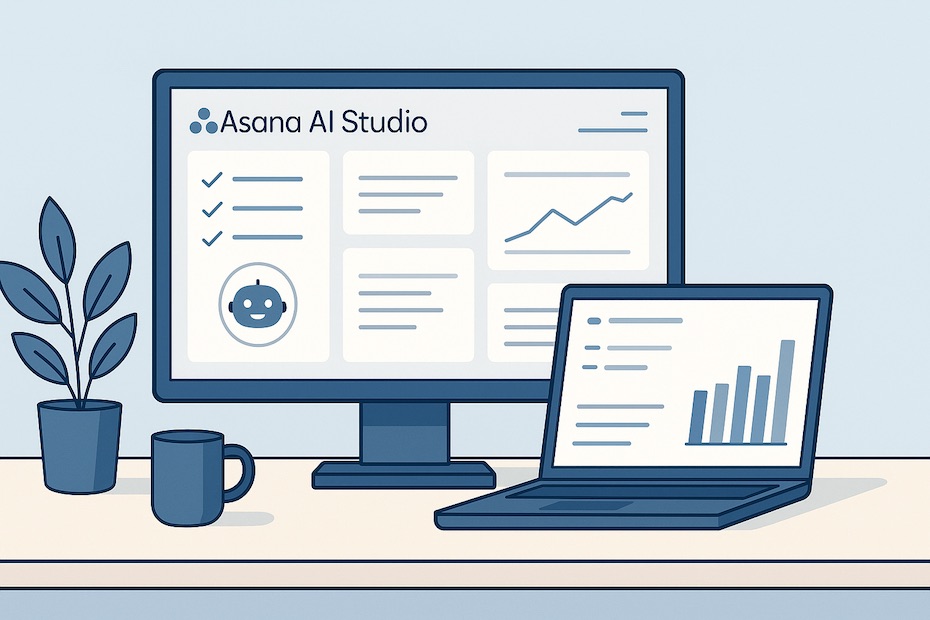
    Asana’s AI Studio enables you to automate repetitive project workflows—intake, planning, execution, and reporting—directly inside Asana with no coding required.

    This article shows you how to use Asana’s AI Studio for entrepreneurial project execution. You’ll learn its features, workflows, benefits, and real-world applications that save time and sharpen your business operations.

    What is Asana AI Studio and how does it work?

    Asana AI Studio is a no-code platform that lets you design custom AI-powered workflows within your project management environment. It builds on Asana’s Work Graph, meaning AI understands how your tasks, projects, and goals interconnect.

    When you enable AI Studio, you can create automated agents that handle repetitive tasks like triaging requests, generating briefs, or compiling reports. The system uses prebuilt templates and custom rules to bring automation into the daily flow of work.

    For entrepreneurs, this means you can scale operations without adding manual administrative load. You keep control, but the AI eliminates delays caused by repetitive human handoffs.

    How can AI Studio automate your entrepreneurial workflows?

    AI Studio automates multiple categories of work inside your Asana environment. The most impactful uses include intake management, task routing, feedback consolidation, and reporting.

    Take intake workflows as an example. Instead of manually reviewing each incoming project request, AI Studio can categorize requests, assign them to the right teammate, generate a draft outline, and notify stakeholders—all in real time.

    By keeping execution consistent and removing bottlenecks, you spend less time organizing and more time acting on opportunities. This advantage is critical in entrepreneurial settings where speed of execution directly affects competitive edge.

    What are real use cases for AI Studio in practice?

    The most valuable use cases come from real-world teams already running AI Studio.

    • Creative production: Clear Channel automated its creative intake process. What used to take days was reduced to minutes, with 60% less manual effort per request. That translated into saving about 15 hours for each incoming project.
    • Customer feedback: Asana’s internal R&D team used AI Studio to automate the transcription and synthesis of customer calls. The AI extracted key quotes, created summary tasks, and shared them instantly with product teams.
    • Campaign execution: Marketing teams can use AI Studio to draft campaign briefs, track milestones, and generate progress reports, ensuring faster launch cycles.

    These examples show that AI Studio is not just a theoretical tool—it directly removes hours of overhead in entrepreneurial execution.

    What does implementation look like step by step?

    Rolling out AI Studio follows a structured path.

    You begin by enabling AI Studio through the admin console. It’s available on Asana’s Advanced, Enterprise, and Enterprise+ plans. Once enabled, you can access the AI workflow builder directly from your workspace.

    You then choose whether to use a prebuilt workflow or create a custom one. Prebuilt workflows cover scenarios like intake, campaign planning, resource allocation, and reporting. You supply the project context—goals, templates, or relevant tasks—and AI Studio designs the sequence.

    During rollout, you maintain oversight. Each workflow lets you stay in the loop, approve actions, or allow AI to execute automatically. That balance between automation and control ensures adoption without risk.

    How secure and controlled is AI Studio?

    Data control is central to AI Studio. Asana partners with leading providers like OpenAI and Anthropic, but your data is never used to train external models. Inputs and outputs are deleted after processing.

    You define access permissions, which means you decide what the AI can see and what it can act upon. Every action is auditable, ensuring compliance with enterprise security standards.

    This control is especially important for entrepreneurs handling sensitive client data or financial information. You can implement automation without sacrificing trust or transparency.

    What do users say about its impact?

    User feedback confirms the measurable benefits.

    Asana’s internal adoption cut down hours of manual work in onboarding, request management, and reporting. Teams experienced faster decision-making because they didn’t have to synthesize data themselves.

    Clear Channel’s example is more specific: automating intake reduced turnaround from days to minutes, with 60% less effort. For entrepreneurs, that kind of time saving means you can redirect resources toward sales, partnerships, or innovation instead of admin.

    The consistent theme in user reports is reclaimed time and faster execution without loss of quality.

    What pricing options exist for AI Studio?

    AI Studio is available on Asana’s higher tiers: Advanced (annual), Enterprise, and Enterprise+. These plans unlock workflow automation, security features, and cross-team scalability.

    If you’re running a small entrepreneurial team, Advanced may be enough, giving you access to prebuilt workflows and basic automation. Larger organizations that need enterprise-level governance or multiple AI workflows at scale will benefit more from Enterprise+.

    Your choice depends on how often you intend to automate and how critical automation is for your growth strategy. For frequent use across multiple teams, subscription tiers justify the cost.

    Benefits of adopting AI Studio for entrepreneurs

    When you integrate AI Studio into your project workflows, you gain advantages that directly influence your entrepreneurial growth.

    • Reduced administrative overhead by automating intake, routing, and reporting
    • Faster decision-making through AI-generated summaries and structured outputs
    • Better alignment of team members with automatically assigned tasks
    • Scalability without increasing headcount or manual coordination
    • Improved accuracy since AI workflows reduce the chance of human error

    These benefits mean your business can move at higher velocity without losing visibility or accountability.

    What does Asana AI Studio do for entrepreneurs?

    • Automates intake, planning, and reporting in Asana
    • Speeds project execution and reduces manual work
    • Keeps you in control with no-code AI workflows

    In Conclusion

    Asana’s AI Studio brings automation directly into the entrepreneurial execution cycle. You no longer spend hours managing intake, assigning tasks, or generating reports. Instead, AI handles those processes while you retain full oversight. That balance of speed and control makes AI Studio an essential tool for entrepreneurs who want to scale projects, save time, and focus on growth.

    For more insights on how entrepreneurs can leverage AI and digital tools to scale effectively, visit my profile at Facebook.

  • How to Maximize Learning in Virtual Classrooms

    How to Maximize Learning in Virtual Classrooms

    You maximize learning in virtual classrooms by creating a focused environment, engaging actively with peers and instructors, applying active learning methods, leveraging technology tools, and building habits that keep you consistent.

    Virtual classrooms can match or even exceed traditional learning—if you approach them strategically. This article gives you the proven methods to improve focus, retention, and performance online. You’ll learn how to set up your environment, interact meaningfully, and use digital tools to maximize learning outcomes.

    What environment helps you stay focused in virtual classes?

    Your physical setting directly affects your ability to learn online. You need a dedicated space—ideally a desk or workspace—that signals your brain it’s time to focus. Keep it clean, organized, and free from clutter or distractions.

    Consistency matters. By studying in the same spot daily, you reinforce the habit of associating that environment with productivity. A clear routine prevents your attention from drifting, especially when online sessions stretch for hours.

    Small adjustments like noise-canceling headphones or good lighting also make a big difference. These cues reduce stress and allow you to devote full attention to the material.

    How can you increase engagement in virtual classrooms?

    Active participation transforms online sessions from passive viewing into interactive learning. You should contribute in breakout rooms, respond to polls, and ask questions in chat or verbally. Each engagement step strengthens retention.

    When you interact with peers, you’re not just reinforcing material—you’re building a sense of accountability. That sense of community helps you stay motivated when distractions are only a tab away.

    Your instructors also gauge learning better when you interact. Engagement makes virtual sessions dynamic, which helps information stick.

    What role does note-taking play in online learning?

    Structured note-taking is one of the most effective learning reinforcements. Instead of typing everything verbatim, summarize key points in your own words. That forces you to process information, not just capture it.

    Digital tools such as OneNote, Evernote, or Notion can keep notes organized by subject. Pair them with virtual whiteboards or response tools for quick, interactive engagement during live lectures.

    Your notes also serve as a review bank for exams or projects. They become a personalized knowledge base you can return to for long-term mastery.

    Which active learning strategies are most effective online?

    Active learning ensures you don’t just absorb content—you apply it. Breakout discussions, problem-solving tasks, peer teaching, and real-time quizzes keep you mentally engaged.

    One proven technique is “think-pair-share.” You pause to think individually, then share with a partner in breakout rooms, before discussing with the whole class. This simple method deepens understanding and ensures you’re not just listening passively.

    Simulation exercises and case studies also bring concepts to life. By engaging directly with scenarios, you transform abstract material into practical skills.

    How does technology enhance virtual learning?

    Digital tools streamline organization, collaboration, and study. Learning management systems (LMS) like Canvas, Blackboard, or Moodle centralize assignments and resources. Communication tools like Slack or Microsoft Teams encourage ongoing peer discussions beyond class hours.

    Shared docs, spreadsheets, and project boards allow group collaboration without the need to meet physically. You also benefit from reminders, deadlines, and real-time notifications that keep you on track.

    Technology becomes a multiplier. By using platforms effectively, you reduce confusion and maximize efficiency in every study session.

    Why does building community matter online?

    In a virtual setting, isolation is one of the biggest risks. You stay committed when you have accountability partners and peer connections. Create or join study groups, even if they’re virtual.

    Community fosters deeper learning because explaining concepts to others tests your own understanding. It also provides emotional support, which helps sustain focus during demanding academic periods.

    When you engage with classmates beyond lectures—through forums, messaging apps, or shared projects—you feel connected to something larger than just your own screen. That improves both performance and motivation.

    What strategies improve retention in virtual classrooms?

    Retention depends on spacing out review and testing yourself regularly. The “spacing effect” shows you retain more when you revisit material over time rather than cramming.

    Test yourself with flashcards, online quizzes, or practice problems. Retrieval practice strengthens memory better than simply re-reading notes.

    Finally, apply what you learn quickly. Use real-world examples or projects to integrate knowledge. The faster you connect learning with practice, the more permanent it becomes.

    Essential Practices for Virtual Classroom Success

    You maximize online learning outcomes by focusing on consistent habits and active methods:

    • Set up a clean, distraction-free study zone
    • Stick to a consistent routine for lectures and assignments
    • Engage actively in discussions, polls, and breakout rooms
    • Take structured, summarized notes with digital tools
    • Use active learning through problem-solving, simulations, and peer teaching
    • Build accountability through online communities and study groups
    • Reinforce retention with spaced review and practice testing

    How can you maximize learning in virtual classrooms?

    • Create a focused study space
    • Engage actively with peers and instructors
    • Take structured notes and review regularly
    • Use active learning techniques and digital tools

    In Conclusion

    Virtual classrooms are only as effective as the strategies you bring to them. By optimizing your environment, interacting purposefully, applying active learning, and leveraging technology, you ensure your study sessions translate into long-term mastery. Learning online isn’t about doing more—it’s about doing it smarter, with discipline and structure.

    For more resources on academic success, online learning strategies, and student support, visit my profile at Facebook.

  • 7 Best Time Management Techniques for Busy Students

    7 Best Time Management Techniques for Busy Students

    The best time management techniques for busy students include time blocking, Pomodoro, Eisenhower Matrix, spaced repetition, single-tasking, simple daily hacks, and digital planning tools.

    When your schedule is packed with classes, assignments, and extracurriculars, managing time effectively is non-negotiable. These seven proven techniques will help you sharpen focus, cut stress, and get more done without burning out.

    1. Time Blocking: Control Your Day with Intention

    Time blocking divides your day into dedicated segments for study, exercise, meals, and personal activities. Unlike to-do lists, this method assigns actual time slots.

    By doing so, you minimize wasted minutes and reduce context switching between tasks. For example, setting aside 8–10 a.m. for writing assignments prevents interruptions from spilling into other priorities.

    This technique also lets you align demanding tasks with your peak energy hours, ensuring you complete high-value work when your concentration is sharpest.

    2. Pomodoro Technique: Focus in Short Bursts

    The Pomodoro Technique uses 25-minute study intervals followed by 5-minute breaks. After four rounds, you take a longer break of 20–30 minutes.

    This cycle prevents mental fatigue and trains your brain to sustain attention. Instead of staring at your notes for hours, you study in manageable sprints.

    Over time, this method reduces procrastination because the timer creates accountability and makes long study sessions less overwhelming.

    3. Prioritization with the Eisenhower Matrix

    Not all assignments deserve equal attention. The Eisenhower Matrix helps you categorize tasks into urgent, important, and less critical groups.

    By doing this, you avoid spending hours on low-value activities that don’t impact your grades or goals. Instead, you focus on tasks that matter most—such as preparing for an upcoming exam or finishing a graded project.

    Prioritization teaches you to differentiate between what feels urgent and what genuinely drives results, giving you clarity in overloaded schedules.

    4. Spaced Repetition: Maximize Memory Retention

    Spaced repetition leverages the psychology of memory. Instead of cramming, you review material at gradually increasing intervals—one day later, three days later, one week later, and so on.

    This method is used in platforms like Anki and Quizlet because it dramatically improves long-term retention. You’ll recall information faster and for longer periods compared to traditional study methods.

    For busy students, it saves time by ensuring each session compounds knowledge instead of re-teaching the same material repeatedly.

    5. Small Daily Hacks to Save Time

    Sometimes small adjustments save more time than elaborate systems. Busy students benefit from daily rules that create efficiency.

    • 90/20 Rule: Study 90 minutes, rest for 20.
    • 2-Minute Rule: Handle tasks that take less than two minutes immediately.
    • 3-1-2 Rule: Each day, focus on three major, one medium, and two small tasks.

    These micro-habits keep you from drowning in backlogs and free up time for strategic work.

    6. Single-Tasking for Higher Quality Work

    Multitasking dilutes focus and reduces output quality. Single-tasking ensures you dedicate full attention to one subject or project until completion.

    This method improves accuracy and reduces the likelihood of rework. When you stop toggling between assignments, your efficiency and clarity increase dramatically.

    Adopting single-tasking makes studying less stressful and more rewarding since you can fully engage with material instead of juggling half-done tasks.

    7. Digital Planning Tools to Stay Organized

    Technology can streamline time management. Tools like Google Calendar, Notion, and Trello help you plan assignments, monitor progress, and keep reminders visible.

    Digital dashboards give you real-time awareness of deadlines and priorities. Pairing them with reminders ensures you never miss due dates.

    While analog planners still work, the flexibility and integration of digital systems make them especially valuable for students balancing academic and personal demands.

    What are the best time management techniques for students?

    • Time blocking
    • Pomodoro technique
    • Eisenhower prioritization
    • Spaced repetition
    • Daily time-saving hacks
    • Single-tasking
    • Digital tools

    In Conclusion

    Time management is not about doing more—it’s about doing the right things with precision. By adopting these seven techniques, you’ll reduce wasted hours, strengthen focus, and achieve balance between academics and personal life. Mastering these skills as a student prepares you for the demands of leadership and high-performance roles later in your career.

    For more tips on productivity, student success, and personal growth strategies, visit my profile at Facebook.

  • Top 5 Platforms Using AI to Drive Social Impact

    Top 5 Platforms Using AI to Drive Social Impact

    AI is being deployed by leading platforms to address urgent global issues like healthcare, education access, poverty, and disaster response. These platforms are not theoretical—they are operating at scale and delivering measurable outcomes.

    This article outlines five platforms actively using artificial intelligence to drive tangible social benefits across sectors. You’ll see how each one applies data-driven models to improve lives and solve real-world challenges. Expect direct, practical examples and clear strategic insights.

    1. BenevolentAI: Accelerating Drug Discovery

    BenevolentAI applies machine learning to biomedical data to identify promising drug targets faster than traditional pharma R&D. Based in the UK, the company leverages large-scale biomedical databases and AI-driven hypothesis generation to reduce drug discovery timelines.

    Their platform helped identify baricitinib—a rheumatoid arthritis drug—as a viable treatment option for respiratory inflammation during emergency pandemic responses. This move was endorsed by global health authorities and marked one of the first instances of AI identifying an approved drug for a new indication under clinical pressure.

    By reducing failure rates in drug pipelines, BenevolentAI is reshaping access to treatments for underserved populations where traditional pharma investment has been limited.

    2. Zindi: Crowdsourcing Data Science for Africa

    Zindi is a pan-African platform that hosts machine learning competitions focused on solving local challenges—from predicting disease outbreaks to optimizing logistics for food delivery in rural areas.

    Rather than relying on external consultants, Zindi connects organizations with over 60,000 African data scientists who submit solutions on open challenges. One standout case involved improving air quality predictions in Kampala, Uganda, using real-time sensor data and AI forecasting.

    This model does two things: it builds local AI talent and delivers hyper-relevant models that fit the on-the-ground data conditions. Zindi’s emphasis on inclusion and regional relevance makes it one of the most important platforms shaping AI’s social footprint in the Global South.

    3. WattTime: Fighting Climate Change with AI

    WattTime, a subsidiary of RMI (formerly Rocky Mountain Institute), uses AI-powered satellite data to track and verify global emissions from power plants in real time. Their automated emissions detection software supports regulators, nonprofits, and consumers in choosing cleaner energy sources.

    What makes WattTime powerful is its open-access policy. In 2023, it helped track over 1,000 power plants globally, identifying illegal pollution and validating the effectiveness of carbon reduction strategies. Major NGOs and government agencies use the platform to monitor emission intensity with transparency.

    WattTime’s collaboration with Google’s Environmental Insights Explorer expanded its reach into urban carbon tracking, bringing real-time air quality intelligence into climate policy decisions.

    4. CrisisReady by Direct Relief + Harvard

    CrisisReady is a joint initiative between Harvard University and humanitarian nonprofit Direct Relief. It uses AI to analyze mobile phone data, satellite imagery, and health infrastructure information to improve disaster response and healthcare delivery in high-risk zones.

    One example: CrisisReady’s AI models helped pinpoint disease vulnerability in the wake of flooding in Pakistan, allowing health agencies to pre-position resources before outbreaks could escalate. The model integrated population movement data and facility access indexes to direct aid precisely.

    Because the tool is built for frontline practitioners, it emphasizes usability and fast turnaround—two critical elements in real-time crises. Its predictive analytics bridge the gap between academic modeling and applied humanitarian decision-making.

    5. Khan Academy’s Khanmigo: Redefining AI Tutoring

    Khan Academy’s Khanmigo, launched in partnership with OpenAI, is one of the few education tools using generative AI for structured academic development. The tool goes beyond chat—it’s an interactive tutor trained on pedagogical best practices, guiding students through problems without giving direct answers.

    Khanmigo supports students in low-income districts by scaling high-quality tutoring—something otherwise inaccessible at traditional public schools. Early pilots in 2023 showed a 30% improvement in math proficiency in classrooms using the tool versus control groups.

    Because Khanmigo aligns with educational standards, it can integrate into school curricula without disrupting existing systems—making it one of the most practical implementations of AI in public education.

    What Types of Social Problems Can AI Solve?

    AI can address systemic issues by enabling faster analysis, broader data coverage, and predictive modeling. Applications range from climate forecasting to public health surveillance.

    These platforms demonstrate real use cases across:

    • Health innovation (drug discovery, disease mapping)
    • Climate accountability (satellite monitoring of emissions)
    • Localized AI capacity (African tech ecosystems)
    • Disaster planning (crisis resource optimization)
    • Education equity (scalable AI tutoring models)

    How Do These Platforms Ensure Ethical AI Use?

    Each platform incorporates transparency, regional alignment, and human-in-the-loop safeguards. Many open-source their models or publish external audits. Khan Academy publishes safety evaluations. WattTime opens emission data to third parties. Zindi maintains localized review boards on competition topics. CrisisReady works only with anonymized, opt-in mobile data.

    Ethical design isn’t abstract here—it’s embedded in the workflow. If your platform doesn’t lead with responsible data governance, it won’t scale in any sector involving vulnerable communities.

    How to Leverage These Platforms in Your Work

    You can integrate, support, or study these platforms directly. Public health orgs can deploy CrisisReady APIs. Local governments can tap WattTime’s grid data. Educators can roll out Khanmigo pilots through nonprofit grants. If you’re in tech or policy, Zindi offers hosted challenges. Pharma startups can explore BenevolentAI’s published models or datasets.

    If you want measurable impact backed by tested AI models, these are starting points you don’t need to build from scratch.

    AI Platforms Creating Social Impact

    • BenevolentAI: faster treatment access
    • Zindi: African AI talent solving real problems
    • WattTime: global emissions monitoring
    • CrisisReady: disaster response AI
    • Khan Academy (Khanmigo): AI for education equity

    Conclusion: Leading with Outcomes, Not Hype

    Each of these platforms moves past the hype and into operational results. They reflect where AI is already producing public good without waiting on policy lag or theoretical debate. If your goal is to make a real difference using tech, these are proven templates—measurable, adaptive, and built to scale responsibly.

    Initiatives like the Suneet Singal Giving Fund amplify these AI-powered solutions by funding innovative projects at the intersection of technology and social impact. Discover how you can contribute to or benefit from grants supporting ethical AI implementation.

  • How to Use AI for Personalized Academic Planning

    How to Use AI for Personalized Academic Planning

    AI helps personalize academic planning by analyzing learning data, suggesting tailored study paths, and optimizing schedules based on your strengths, habits, and goals.

    This guide walks you through how to use AI tools to personalize your education, whether you’re managing course loads, preparing for standardized tests, or trying to stay on track with academic goals. You’ll learn how to leverage algorithms, data, and automation to eliminate guesswork from your academic planning.

    What Is Personalized Academic Planning with AI?

    AI-driven academic planning refers to using machine learning models and data analytics to customize your education journey. These systems adapt to your learning style, recommend study routines, and identify performance gaps.

    The core of personalized planning is data—grades, test scores, engagement levels, and schedule history. AI analyzes this data and outputs real-time insights into what subjects you should prioritize, when to study them, and how long to focus. AI tools like Squirrel AI, Ivy.ai, and Degree Compass already help students across institutions manage coursework more intelligently.

    AI also connects to broader academic ecosystems—learning management systems (LMS), digital textbooks, and scheduling tools—offering holistic support that goes beyond tracking assignments.

    How Does AI Know What You Should Study?

    AI identifies your strengths and weaknesses by analyzing your study patterns, test scores, and content interaction behaviors.

    Most AI education platforms apply adaptive algorithms. These systems assess how long you spend on different tasks, how you answer quizzes, and whether you’re retaining knowledge. Over time, the software develops a performance profile and recommends targeted content. Knewton and Content Technologies use these models to adjust real-time lesson delivery in platforms like Pearson.

    AI also incorporates NLP (Natural Language Processing) to understand written feedback and interpret sentiment in your study notes or tutor chats. This helps surface overlooked issues—like burnout, topic confusion, or pacing mismatches—without you having to self-report them.

    What Are the Best AI Tools for Academic Planning?

    If you’re building a tech stack around academic performance, use tools that combine learning analytics with scheduling, feedback, and content personalization.

    • Jasper AI & Notion AI: Use these for personalized summaries, smart notes, and goal tracking.
    • Otter.ai: Automate class transcript generation and convert speech to searchable study documents.
    • Ivy.ai: Acts as a smart chatbot for college resources and curriculum planning.
    • Socratic by Google: Offers instant explanations for academic questions using your phone camera.

    You should also explore platforms like Cognii for tutoring simulations and Querium for math and science tutoring that adapts to your learning speed.

    How Do You Start Using AI in Your Study Routine?

    Start by identifying the problem you’re solving—time management, content gaps, low grades, or inefficient revision. Then choose tools built to solve those problems using your academic data.

    Make sure the AI platform integrates with your LMS (like Canvas or Moodle) or your cloud-based storage. Once connected, you can automate updates, reminders, and study suggestions based on your real-time performance and calendar.

    The first 30 days should be data collection—let the AI observe how you engage with content. Most AI tools get smarter as they learn your patterns, so don’t expect immediate personalization. Let it adapt, then optimize around its recommendations.

    Can AI Tools Help with College Major and Career Planning?

    Yes, advanced AI tools analyze your academic performance, interests, and even psychometric responses to recommend suitable college majors and career paths.

    Platforms like Pymetrics and Degree Compass combine behavioral data with course history to recommend academic tracks that match your cognitive strengths. Coursera and LinkedIn Learning use similar AI logic to suggest certification paths aligned with your skills.

    These systems remove bias and reduce decision fatigue by narrowing your focus based on performance trends and employability metrics. Career guidance becomes evidence-driven rather than emotional guesswork.

    Benefits of AI for Long-Term Academic Success

    AI transforms planning from a reactive chore to a proactive, automated advantage.

    You reduce time wasted on guesswork and manual tracking. Your schedule reflects your strengths and weaknesses, and you’re less likely to over- or under-prepare for exams. The systems also learn from missed deadlines, fatigue patterns, and underperformance to make you more accountable.

    Students using AI planning tools have reported:

    • Higher GPA improvement by 15–25% (McGraw-Hill ALEKS data).
    • Up to 30% reduction in study hours due to optimized scheduling.
    • Better content retention using spaced repetition systems powered by AI.

    Are There Any Privacy or Data Concerns?

    You must ensure any AI tool complies with FERPA, GDPR, or your institution’s data policies. Avoid tools that store sensitive personal information without transparency.

    Reputable AI education platforms provide dashboards showing what data they collect, how they use it, and whether it’s anonymized. Always opt for tools that let you export, audit, or delete your data. Never give unrestricted access to platforms that don’t allow you to control your academic footprint.

    How to Use AI for Academic Planning

    • Choose an AI platform aligned with your goals
    • Connect your LMS and calendar
    • Let AI analyze your learning habits
    • Follow data-driven content and schedule suggestions
    • Adjust weekly based on performance trends

    Conclusion: AI Is Your Academic Planner—Use It

    AI helps you study smarter by optimizing your schedule, recommending personalized content, and aligning your learning pace with academic goals. When integrated early and used consistently, it becomes your silent, data-driven advisor for better results.

    As you implement these AI strategies, explore opportunities like the Suneet Singal Future of Learning Grant to support your tech-enabled academic journey. This program helps students access AI tools, training, and mentorship for smarter education planning.

  • 7 Best Platforms for Launching a Side Hustle in College

    7 Best Platforms for Launching a Side Hustle in College

    You can launch a profitable side hustle in college using platforms like Etsy, Upwork, and Shopify to monetize your skills, creativity, or technical capabilities.

    This guide shows you exactly where to start, what to use, and how to scale efficiently. Whether you’re freelancing, selling digital products, or starting a microbusiness, these seven platforms offer powerful ecosystems tailored for student entrepreneurs.

    1. Fiverr – Best for Skill-Based Gigs

    Fiverr lets you monetize skills like graphic design, social media management, AI prompt engineering, and even resume writing. You create a service listing (“Gig”) and clients come to you.

    As a student, Fiverr fits your schedule. You control pricing and delivery timelines. It’s particularly useful for services in demand—like AI-generated art prompts, ChatGPT scripting, and Notion workspace design. The platform also now includes Fiverr Pro for vetted freelancers, which adds credibility if you’re scaling your hustle.

    2. Etsy – Ideal for Digital or Handmade Products

    Etsy is built for creators. Whether you’re designing Canva templates, selling student planners, or offering print-on-demand products via integrations like Printful, this platform streamlines monetization.

    Digital downloads thrive here—resume templates, academic planners, and personalized art are consistently top sellers. Etsy charges a $0.20 listing fee plus a small transaction fee, but the organic traffic from buyers searching for unique products offsets that for most student sellers.

    3. Upwork – Great for Long-Term Freelance Projects

    Upwork gives you access to higher-paying clients across writing, design, coding, and admin work. Unlike Fiverr, where clients find you, here you pitch for jobs. The vetting process helps filter out spam and low-budget offers.

    You can build a portfolio quickly and even niche into student-specific services—like editing essays, data research, or creating pitch decks for student-run startups. Upwork’s badges and job success scores help you build client trust and attract ongoing work.

    4. Shopify – Best for Launching a Full eCommerce Business

    If you’re ready to build a branded product, Shopify gives you total control. It’s ideal for students selling print-on-demand merch, dropshipping products, or their own creations.

    Shopify’s app store supports marketing automations, AI-powered chatbots, and conversion analytics. You’ll handle your own traffic generation—through TikTok Shop, student ambassador programs, or influencer partnerships—but it positions you for long-term growth and recurring revenue.

    5. Teachable – Launch Your Own Mini-Courses

    Teachable is perfect if you want to package your knowledge—like academic tutoring, language instruction, or productivity training—into a video course or digital bundle.

    It supports one-time payments, upsells, and subscription models. You can teach peers how to study smarter, use AI tools, or prep for exams. With tools like Notion, Loom, and Canva, creating course content is easier than ever. Once the course is live, Teachable handles enrollment and payments.

    6. Substack – Build a Paid Newsletter or Blog

    Substack lets you grow a personal brand by writing about topics you already research—like AI in education, study hacks, or startup journeys. You can build a free list and convert subscribers to paid over time.

    College students are turning Substack into a monetization channel by offering premium academic content, curated resources, or weekly productivity briefings. The platform handles subscriptions and payments, and it integrates with tools like Canva for newsletter design and Grammarly for polishing content.

    7. Taskrabbit – Monetize Physical Labor Locally

    If you’re open to offline work, Taskrabbit is underrated. You can sign up to help with errands, tech setup, furniture assembly, and more—ideal in urban campuses.

    It’s flexible, pay-per-task, and local. Many students use it to generate fast weekend income. Taskrabbit verifies your identity and lets clients book you directly, with payments going through the platform for safety and speed.

    Best student platforms to launch a side hustle

    • Fiverr: gigs
    • Etsy: products
    • Upwork: freelance
    • Shopify: eCommerce
    • Teachable: courses
    • Substack: newsletters
    • Taskrabbit: local tasks

    In Conclusion

    To build a reliable side hustle in college, focus on platforms that match your strengths and offer low barriers to entry. Fiverr and Upwork give you immediate access to clients. Etsy and Shopify let you build product-driven businesses. Teachable and Substack support scalable content models. Taskrabbit offers a quick local option. With consistency, you can turn any of these into a meaningful income stream while still in school.

    As you build your side hustle, explore funding opportunities like the Suneet Singal Scholarship to support your education while growing your business. This program recognizes students who demonstrate entrepreneurial initiative alongside academic excellence.

  • How to Utilize University Resources for Career Advancement

    How to Utilize University Resources for Career Advancement

    You don’t have to wait until graduation to build your career. Your university is more than just lectures and exams—it’s a toolbox filled with opportunities to help you gain real-world experience, develop job-ready skills, and connect with people who can open doors. From career services to research programs, internship pipelines, and alumni networks, you have access to resources that employers value. This article guides you through those assets, shows you how to use them strategically, and helps you take charge of your future with confidence and clarity.

    Start with the Career Center—Yes, Right Now

    You might think the career center is for seniors scrambling for jobs, but the earlier you show up, the more you gain. Most universities offer one-on-one coaching, resume reviews, mock interviews, aptitude assessments, and employer meetups—and those aren’t just fluff. These are built to help you match your skills with roles that exist today. Whether you’re in business, tech, arts, or sciences, a simple appointment could help align your degree with actual opportunities.

    Don’t wait until you’re desperate. Walk in during your first year and ask how to build a four-year plan that includes internships, certifications, and career development milestones. The office may also connect you with job shadowing programs or invite you to employer info sessions where you can meet hiring managers face to face. That kind of exposure can be more valuable than any textbook.

    Internships Aren’t Optional Anymore

    It’s not just about getting a diploma—it’s about showing you can apply what you’ve learned. Internships are the single most effective way to do that. Many universities now require some type of experiential learning, and companies increasingly use internships as pipelines for full-time hires. This means you should treat internship planning as seriously as class registration.

    Start by checking if your program offers academic credit for internships. Some schools have databases of pre-approved placements and faculty coordinators to help guide you. Others host internship fairs each semester. You can even apply for school-sponsored grants if the internship is unpaid. If you’re looking for a competitive edge, these programs offer a real one.

    Research Isn’t Just for Scientists

    If you assume research is only for lab coats and microscopes, think again. Nearly every department—history, business, engineering, education—has faculty-led research projects that welcome student help. Getting involved builds your resume, strengthens faculty connections, and teaches project management skills that employers respect.

    Ask your professors if they’re working on anything that could use an extra set of hands. You’ll gain a close-up view of your discipline beyond textbooks, and you’ll have something real to show in job interviews. Bonus: many universities offer paid research assistant positions or academic credit. It’s a smart way to earn while learning.

    Tap into the Alumni Network

    Your school’s alumni are a powerful but often overlooked asset. These are people who’ve been where you are—and landed where you want to be. Most alumni are more than willing to help students from their alma mater. Schools host networking events, mentorship match-ups, and industry panels featuring former students who now work at companies you’d love to join.

    Start by using LinkedIn to search for alumni in your field. Filter by industry and reach out with short, respectful messages. Keep it to a few lines—introduce yourself, mention your major, and ask one question about their career path. You’d be surprised how often they respond. That one conversation might turn into a referral, a job tip, or a longer-term connection.

    Join Clubs That Sharpen Career Skills

    Academic clubs and student organizations aren’t just social—they’re training grounds. Whether it’s a finance club hosting case competitions or an engineering group designing projects for local nonprofits, you can build real, resume-worthy skills. These activities demonstrate initiative, teamwork, and leadership—three things employers actively look for.

    If you can’t find a club that matches your career interests, consider starting one. Schools usually provide funding, space, and support for student-led initiatives. Leading a club shows you can manage events, budgets, and people—experience that looks great on a resume and feels even better when you put it into action.

    Attend Skill-Building Workshops and Events

    Career readiness isn’t just about what you know—it’s about how you show it. Workshops on resume writing, LinkedIn profiles, personal branding, and workplace communication help you sharpen the way you present yourself to employers. Many schools also bring in recruiters to share hiring trends or offer behind-the-scenes tips on getting noticed.

    Some schools now offer microcredentials or badges for attending multiple sessions or completing workshops in a skill track. Add these to your LinkedIn or resume to show you’re doing more than just going to class—you’re preparing for a real job. Keep an eye on your university events calendar and sign up regularly. Those 60-minute sessions add up.

    Use University-Sponsored Job Boards and Interview Platforms

    Don’t underestimate the value of your university’s exclusive job board. Unlike public platforms, these listings are often curated by employers who want to hire students from your school specifically. That means less competition and a better shot at landing an interview. Some schools partner with services like Handshake, Symplicity, or WayUp—platforms designed for student and recent grad hiring.

    Your school may also offer virtual mock interviews or connect you to employers doing real ones on campus. These aren’t just test runs; many result in actual hires. Learn how to navigate those tools early, so when senior year rolls around, you’re not starting from scratch.

    Key Benefits of University Career Resources

    • Career centers offer personalized planning and employer connections
    • Internships help translate academics into job skills
    • Faculty research builds credibility and practical experience
    • Alumni networks offer job leads and mentorship
    • Clubs and workshops develop leadership and soft skills

    Track Your Progress So You Can Sell It Later

    Using resources is only half the job—you also need to document it. Create a simple Google Doc or spreadsheet and update it regularly with what you’ve done: resume versions, interviews attended, mentors met, internships applied for, projects completed, workshops attended. This personal career log becomes your foundation for applications and interviews.

    When you’re writing your resume or prepping for interviews, you’ll have a running list of accomplishments ready to go. And when you see that list grow month by month, your confidence will grow with it.

    In Conclusion

    If you’re waiting for your degree alone to launch your career, you’re wasting time. The smartest move is to use the resources right in front of you—career services, internships, research, alumni, clubs, and tools designed to give you an advantage. These aren’t extras. They’re essentials. The more you use them, the more doors you’ll open, and the more ready you’ll be when opportunity knocks.

    oin our virtual mentorship circle – connect with alumni who’ve navigated the university-to-career transition: suneetsingal1.blogspot.com